A vacuum never stays empty for long. We said good riddance to a CMS and built our own tools instead.
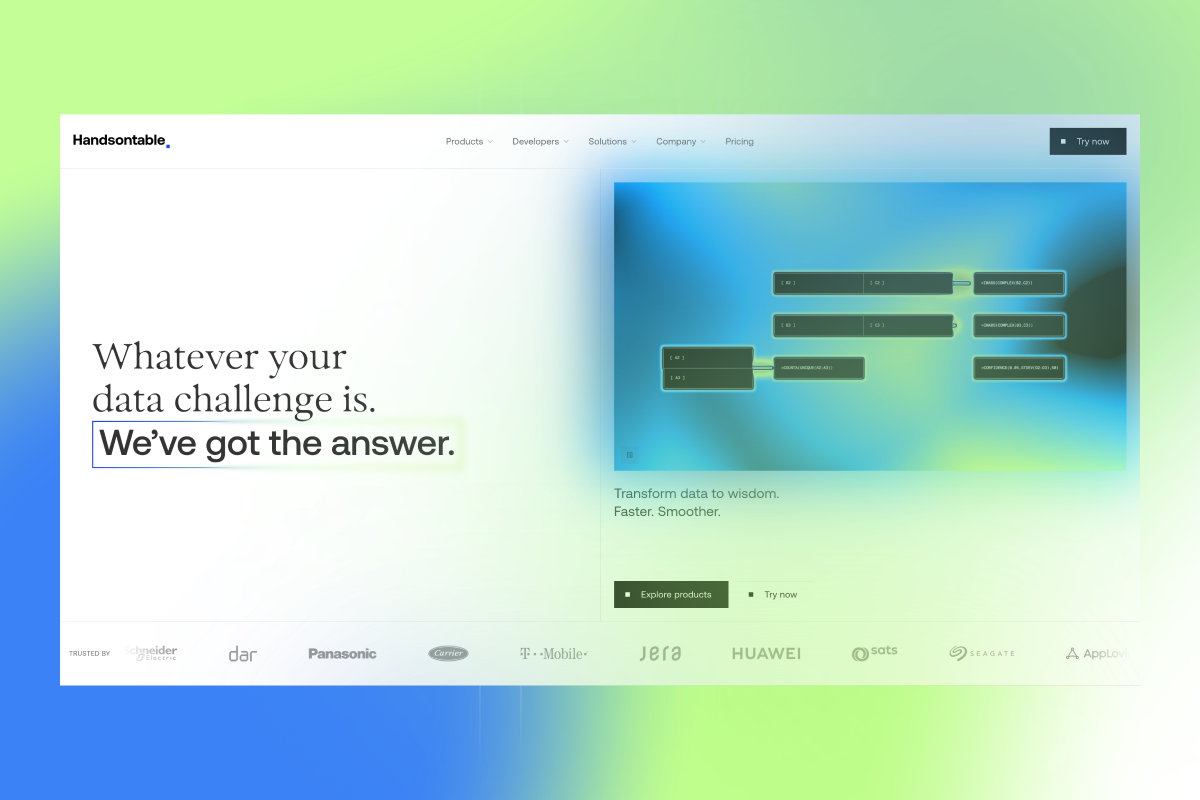
In December 2025 Lee Robinson wrote about moving cursor.com off its headless CMS and back to code and Markdown. He expected it to take a couple of weeks and an agency. It took him three days and about $260 in tokens. We read it while we were deciding how to build the next version of handsontable.com, and it ended an argument we’d been having for weeks.
The new site is live, and there’s no CMS behind it. Pages and blog posts are MDX files in a Git repository, images and videos sit in Cloudflare R2, and every change, a typo in a blog post included, goes through a pull request. We used the rebuild to refresh the brand as well.
Before the rebuild, handsontable.com lived in three repositories: one for the marketing pages, one for the WordPress blog, and one for the theme builder. The blog looked slightly different from the rest of the site, and the theme builder was a third codebase to keep in step. Now it’s one repository. The pages, the blog and the theme builder share one design system and one set of rules for every change, and the theme builder got a refresh on the way in.
This post covers why we went without a CMS, what we built in its place, how the brand change fit in, and two small tools that turned out to be the best part.
Who edits the site
That was the first question, and for us the answer was short: a few developers, me as a product manager, and our marketing team. Any of us can make a change straight from Claude Code or Cursor: describe it, and the agent comes back with a pull request and a preview link. Everyone also has a GitHub account already, because Handsontable is built in public on GitHub.
A headless CMS was the obvious default for a rebuild. Lee’s post made us write down what one would give us and what it would cost us, item by item.
What a CMS costs
- A second set of accounts. A CMS brings its own users and roles, and we already manage access in GitHub: one more onboarding step for every new person, one more place to remember when someone leaves.
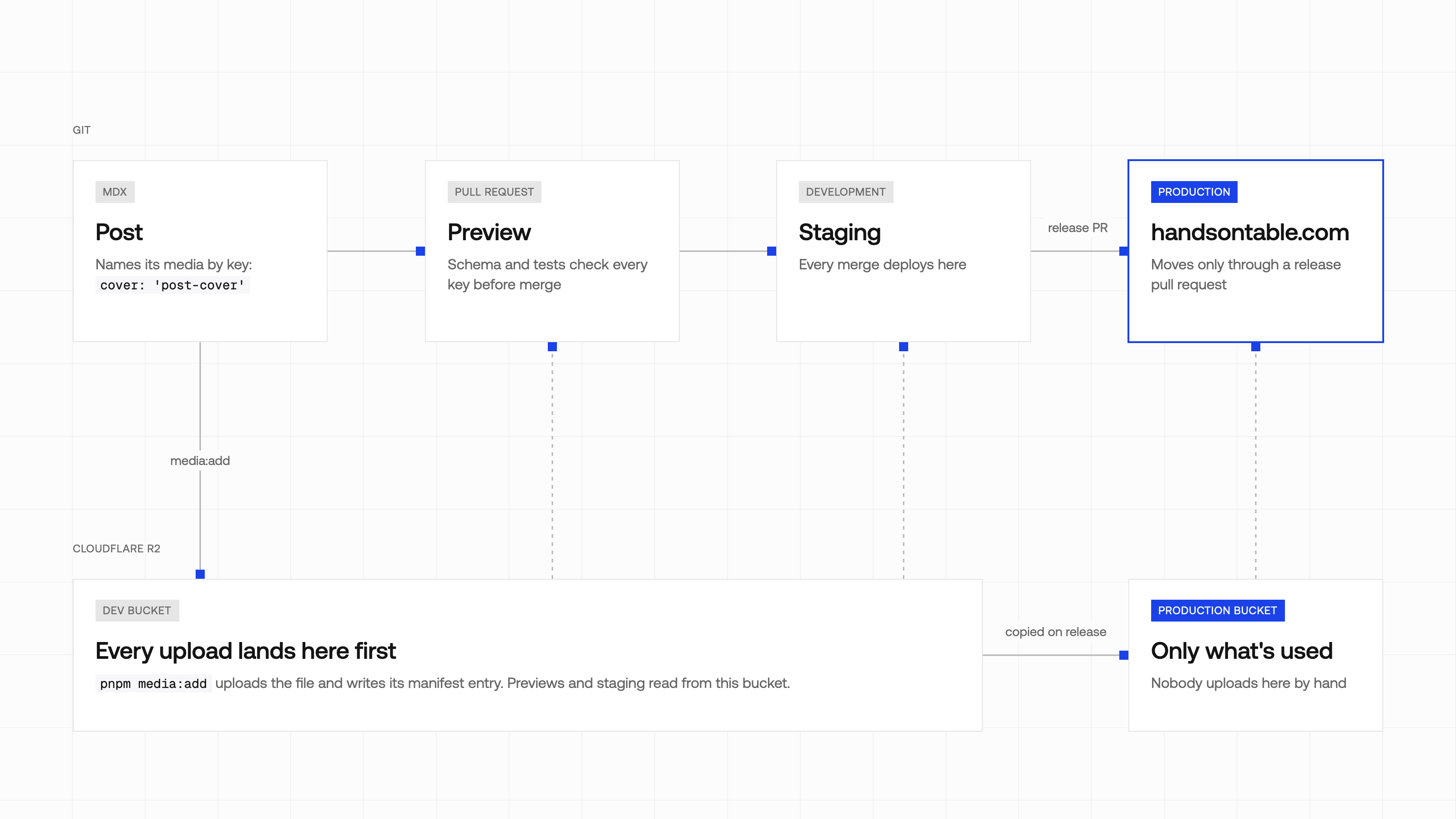
- Previews. A marketing site should be static, and live CMS previews on top of static pages take a draft mode, some server rendering and a login. With content in Git, the pull request is the preview: Cloudflare builds every PR and comments a link anyone on the team can open.
- Asset hosting. Much of what a CMS sells is uploading images and serving them from a CDN. R2 and Cloudflare do that, with one upload script and a small manifest on top.
- An API between agents and content. This one decided it. Behind an API, an agent can’t grep the content, read it next to the component that renders it, or change both in one commit. As a file in the repo, “update the FAQ answer about perpetual licenses” is one prompt and one diff.
For plenty of teams a CMS is still the right call. If the people who edit the site don’t work with a coding agent and don’t want to, a form with a Publish button is worth what it costs. That wasn’t our situation.
Content is MDX
The site is a static Astro build, with Astro and React components styled with SCSS modules. Pages and posts are MDX files in src/content/, so a post is prose with the occasional component in it, such as a live data grid in the middle of a tutorial.
Each content collection has a Zod schema, and the build fails when a post breaks it. Here is a shortened version of the blog schema:
const blog = defineCollection({
  loader: glob({ pattern: '**/*.mdx', base: './src/content/blog' }),
  schema: z.object({
    title: z.string().max(120, 'title too long'),
    description: z.string().max(160, 'SEO description too long'),
    pubDate: z.coerce.date(),
    author: z.string().refine((k) => k in authors),
    cover: z.string().refine((k) => k in assets, {
      message: 'Cover must be a key in src/content/data/assets/',
    }),
    draft: z.boolean().default(false),
  }),
});
In a CMS, a description that’s too long gets a red outline in a form field. Here it gets a failed check on the pull request, and an agent can read the error and fix the description by itself. Authors and categories work the same way: they are typed registries in the repo, so a misspelled author name is a build error, not a new author page nobody asked for. The frontmatter of this post went through the same check.
Every page and post is also served as plain Markdown next to its HTML version, at the same address with .md on the end. That’s the version an agent, or a person pasting into one, reads best.
Media lives in R2
Git holds text and code. Binary files go to R2, and a post never points at a file directly. It names a key, such as cover: 'rebuilding-handsontable-com-without-a-cms-cover', and the key resolves through a manifest: one small JSON file per asset, with the path, the alt text and the dimensions.
One command, pnpm media:add, uploads a file and writes its manifest entry. It can reach only the development bucket, so test images from pull requests that never merge don’t end up in production. When a release goes from staging to production, a required check on the release pull request copies every file the manifest references into the production bucket. Nobody uploads to production by hand, and no agent has credentials that could.
The build enforces the rest. A cover key that isn’t in the manifest fails the build, and a published post whose image exists only on someone’s laptop fails the tests, before any visitor sees a broken image.
Every change is a pull request
Claude Code and Cursor read the same rules: CLAUDE.md holds the full guide, and .cursorrules and AGENTS.md point at it. The short version fits on one screen. Never commit to development or production. Branch off development as content/<slug> or feature/<name>. Run lint, tests and the build before opening a pull request. Never commit binaries. Never merge a red pull request. Production moves only through a release pull request a human opens.
So anyone on the team can ask an agent for a change and get the same thing back every time: a branch, a pull request, a preview link, and a review. Reverting a bad edit is reverting a commit. The Git history doubles as the editorial history, and agents can read it too, which helps when someone asks why a page says what it says.
The design system
The visual design was handled by 247 Studio, and the work started in Figma, the way most design work does. Once the layouts settled, we built the design system in code, and from then on the code is the source. The Figma library is rebuilt from it: color, surface and size variables named after the CSS custom properties, the basic controls as native Figma components, and the larger blocks as captures of the real pages. A designer working in Figma starts from what’s actually on the site.
We didn’t set up Storybook. The repo has its own playground at /playground, a route with its own layout. It documents nine foundations, such as colors, typography, animation, copy and accessibility, along with 71 components and 14 page sections, such as the header, the pricing plans and the FAQ.
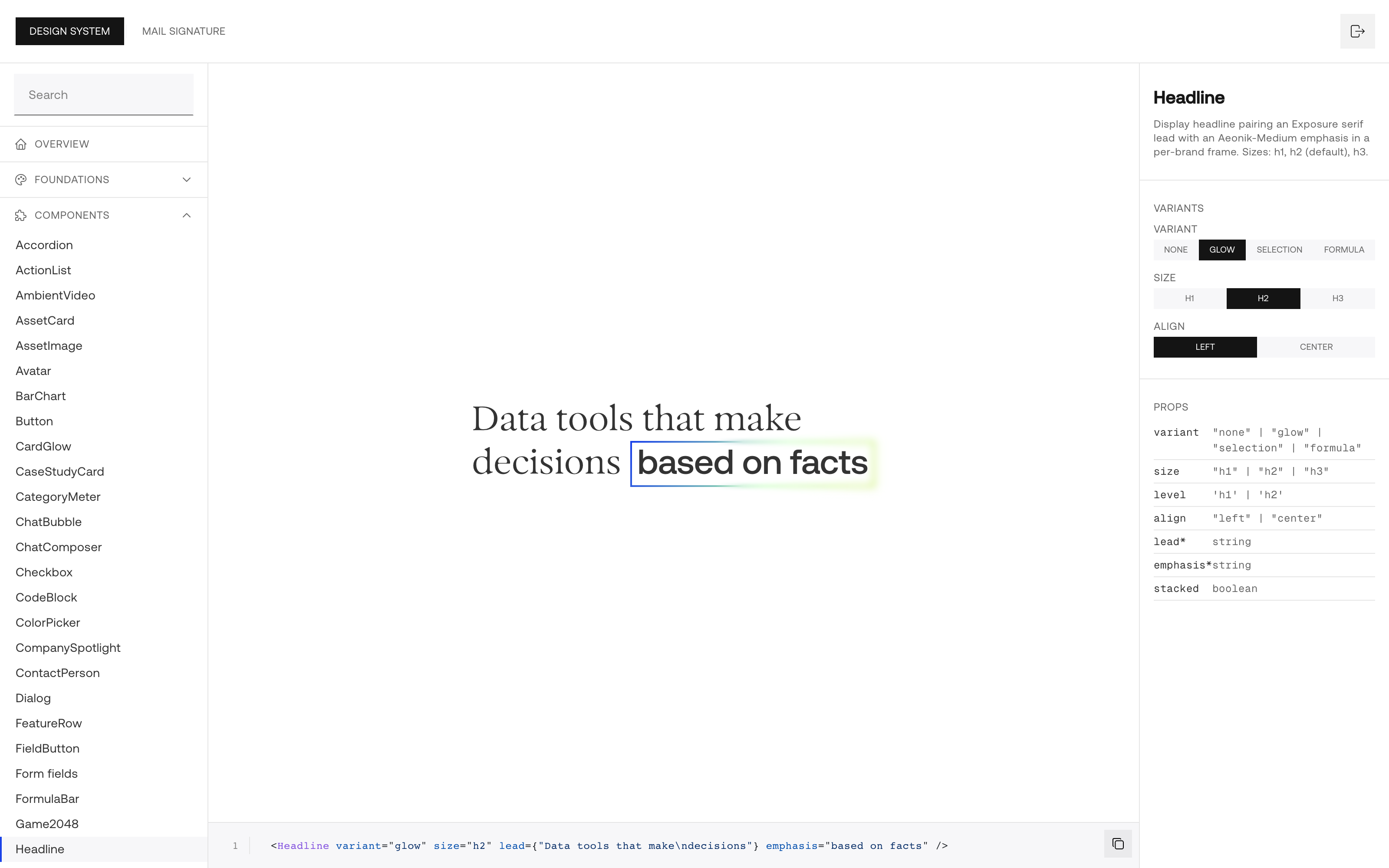
Each component page renders the component on a stage, gives you an inspector for its props and states, and shows a live code snippet underneath. The guidance sits next to the component. The Button page, for example, says each view should have one primary button, and lists which sizes are for marketing CTAs and which are utility squares. That matters for agents as much as for people: when an agent builds a new page, it reads the same rules a designer would.
The design system is also where the agents’ guardrails come from. The rules tell an agent to build every page from the components in the repo and to style it only with the design tokens, so there is no room for a one-off button or a color nobody chose. A new component can’t just appear in a page either: it has to be registered in the playground with its guidance and a test, or the test suite fails. When someone asks an agent for a new page, it reaches for the same blocks as the last one, and the page looks like the rest of the site without anyone having to police it. With agents writing a good share of our pages, we don’t think a consistent site would be possible without that.
The new brand
The rebuild was also the moment to sort out the brand. We unified it across the site and drew a clear line between our two products: Handsontable DataGrid, the data grid component, and HyperFormula, the headless formula engine. Each has its own logo now, and its own part of the site, at /datagrid and /hyperformula, with its own demos, features and docs. The logos, colors and guidelines for both are on the brand assets page.
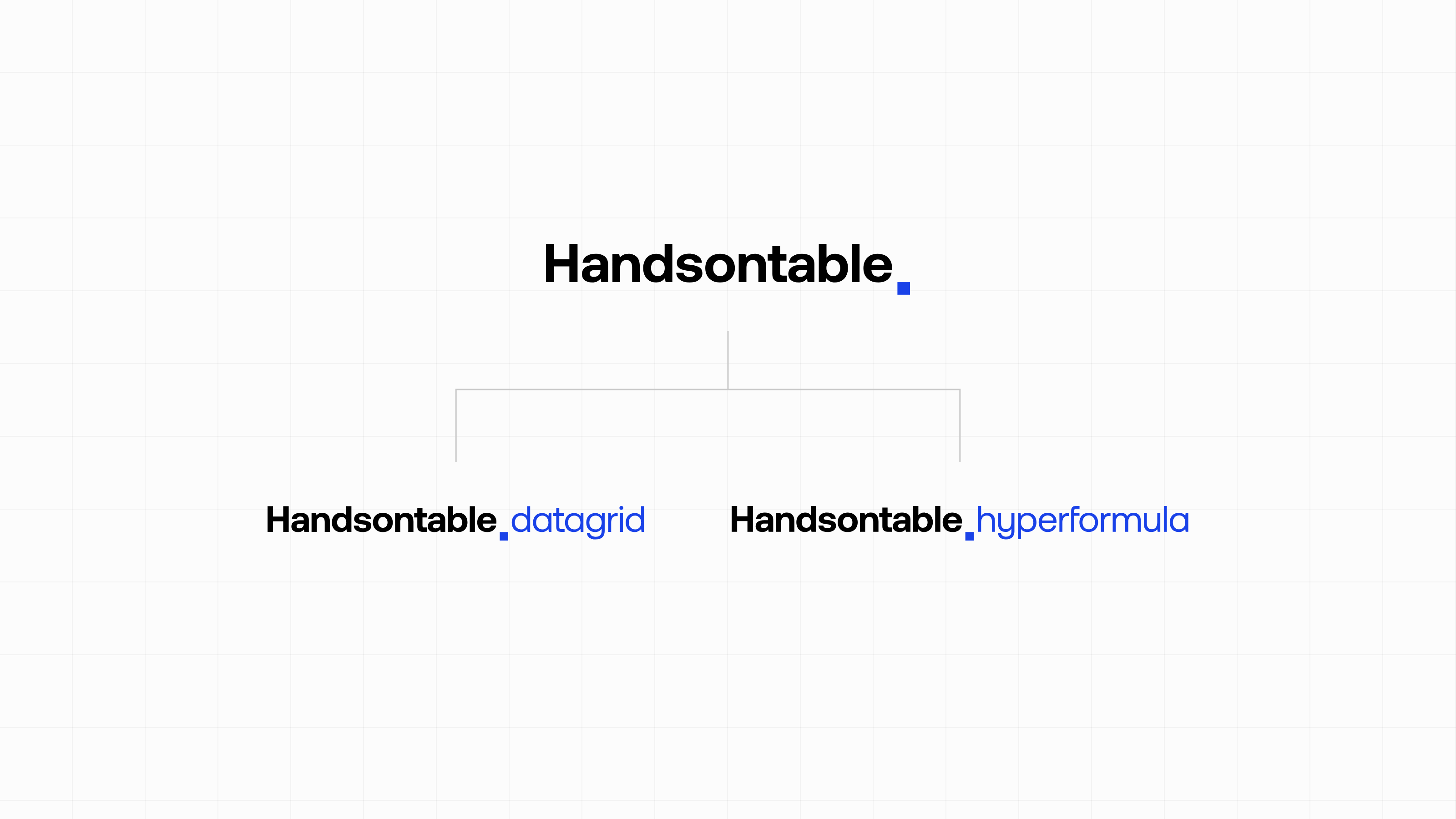
The logos are design-system assets like everything else, so they live in the repo next to the components that use them. When the new logos landed, every page that draws one picked them up from the same files. With a CMS, copies of the old logos would also be sitting in a media library, attached to posts and pages. Here the change was a pull request.
Of the product pages, the demos grew the most: more than 70 of them now, split by product into use cases and features, plus a few on the DataGrid side that are there just for fun. In Cell animation, a pixel cat flies across a DataGrid sheet, and every frame is one setDataAtCell call that touches only the cells that changed.
Tools on top
Once the design system lived in code, building small internal tools on top of it got cheap. Two of them are worth showing.
Email signatures
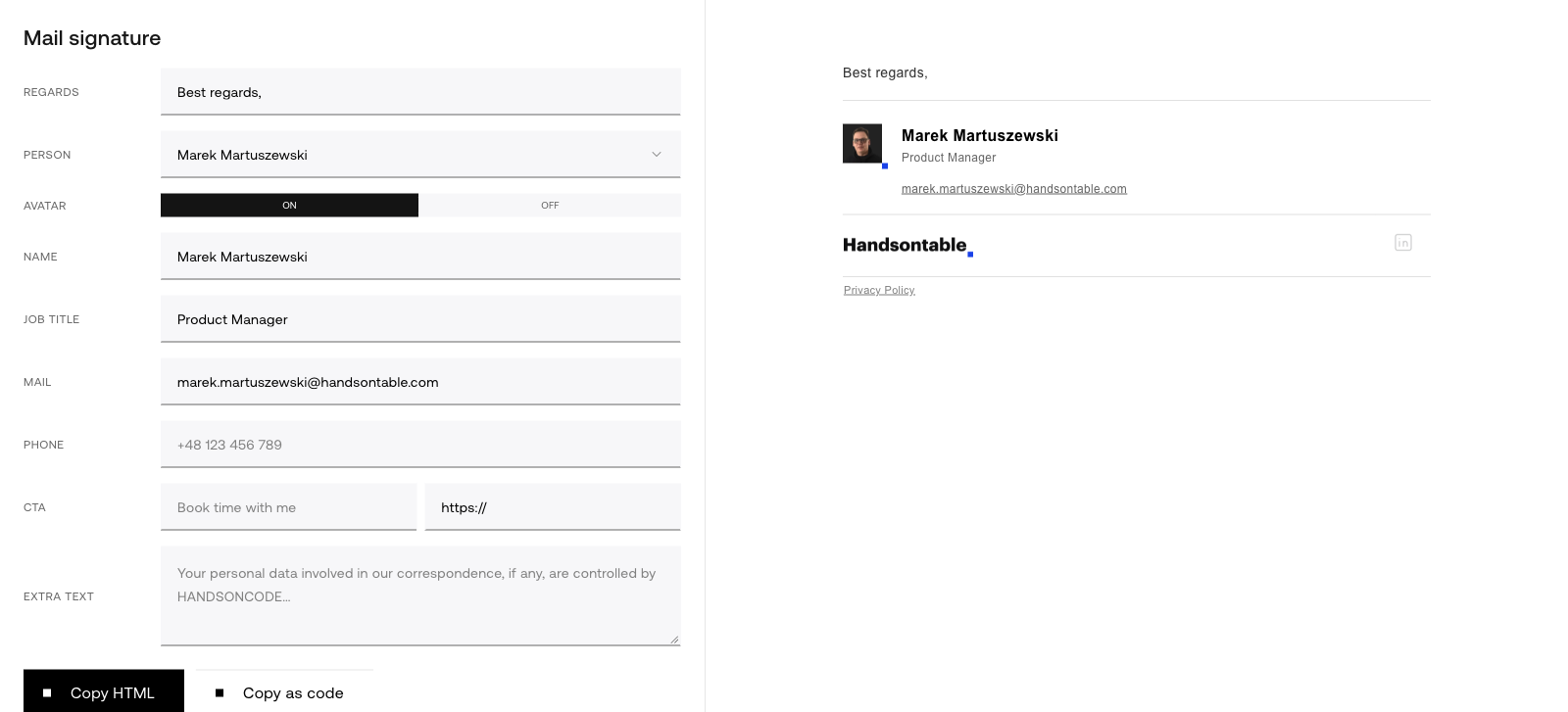
Our email signature generator builds the company signature. Pick a person and their name, job title, email and photo fill in from the same team registry the site uses. Add an optional call to action with a link, check the legal note, and copy the result as HTML for your mail client. The signature uses the site’s type and colors; the logo is the one exception, a small PNG copy, because most mail clients won’t render an SVG.
Studio
Studio makes short videos for LinkedIn, Instagram and X. You write a brief, pick the product (DataGrid or HyperFormula, the same split as on the site) and a format (1:1, 4:5 or 9:16). You can add a link to a pull request or a Figma frame, plus up to four screenshots, so the model gets the labels and the data right. The model drafts a story, and you agree on it before any clip gets made.
Then you land in a timeline editor. A clip is a stack of layers: the grid, a cursor, a camera, the background, the logo, a formula suggestion list. You can drag them on the timeline, edit them in a properties panel, or ask the AI to change something (“bring the background in half a second earlier”). Download MP4 renders the clip frame by frame at 60 fps, with motion blur.
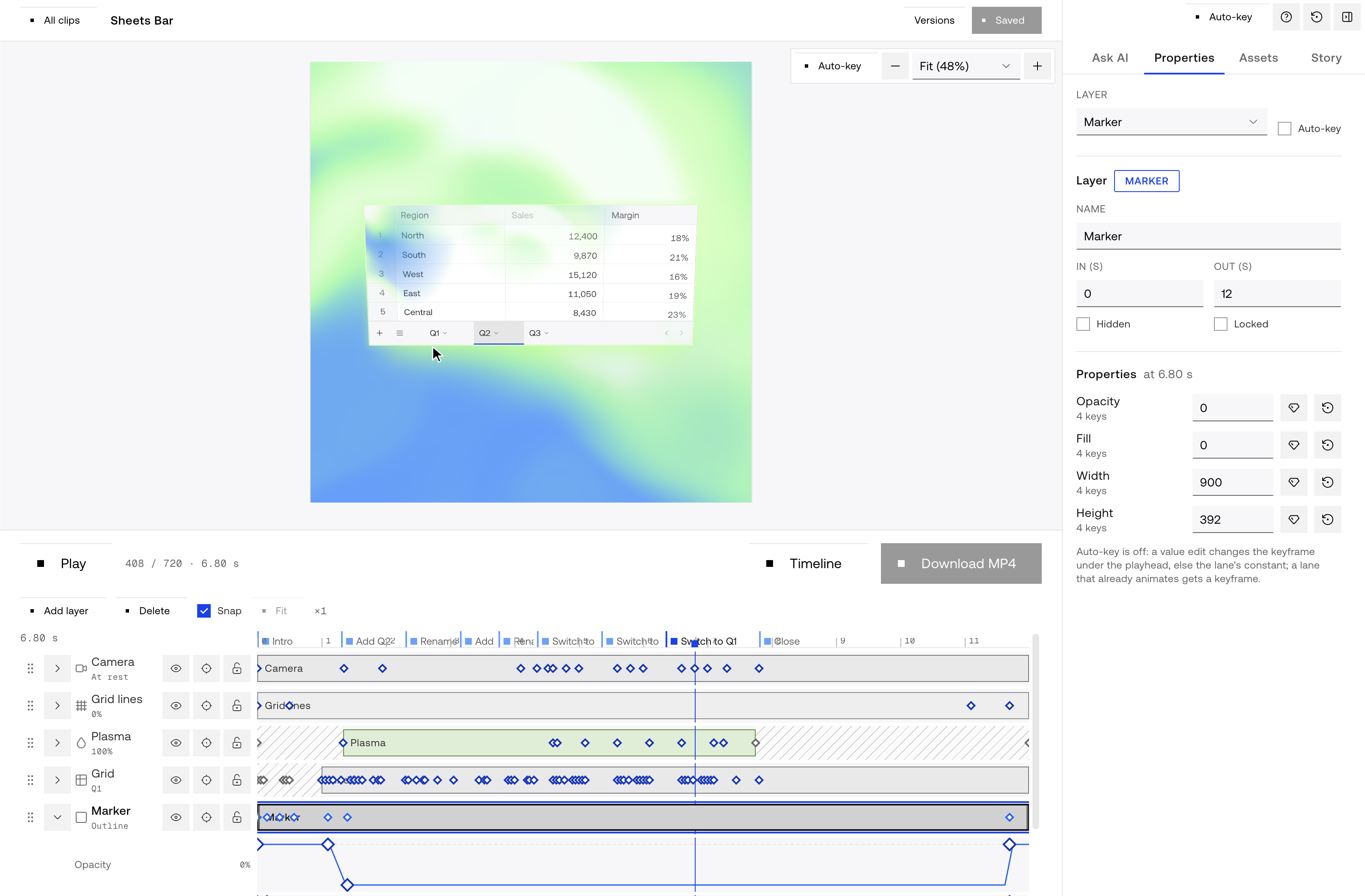
The clips are built from the same components as the website, so a grid in a LinkedIn video looks like the grid on the pricing page, down to the selection color.
If you’re thinking about it
If the people who edit your site already use Claude Code or Cursor, try the version without a CMS first. They don’t need to know Git for it: the agent handles the branch and the pull request and brings back a preview link. Decide where binary files go before the first image gets committed, because moving them later is the boring kind of migration. Write the agent rules on day one; ours are the reason every change arrives the same way. And put the design guidance next to the components, where both people and agents will read it.
If you build something similar, or you think we got the CMS question wrong, tell us on our community Slack.