How to test (and improve) Lovable's ability to use your library
Your library has a new user, and it doesn’t read the docs
AI app builders like Lovable, Bolt, v0 and Replit write a ton of code for people who will never open your docs. Someone asks for a spreadsheet-style grid, and the agent picks the library, wires it up, and ships it without discussing the details with the user. When something’s wrong, the fix is teaching the agent, because the user never reads the code.
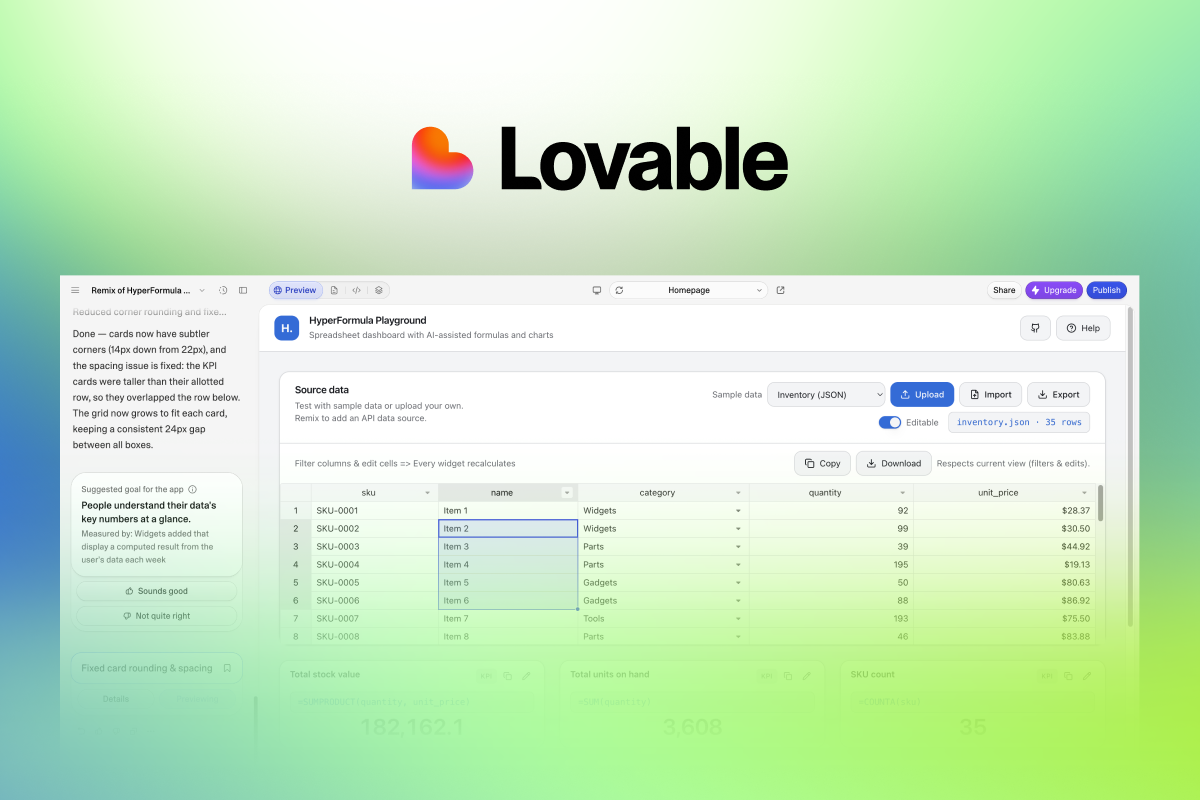
So how do you know if an AI app builder is using your library correctly? That’s what I set out to find for Handsontable. Over a few days in October, I built the same CRM app in Lovable six times with different amounts of guidance, then tested each build in a browser against its own database. This post covers the method and the results, including what didn’t work, so you can run the same test on your own library.
Drive Lovable from Claude Code
Lovable has an MCP server with tools like create_project, send_message, get_diff, get_message and query_database. I ran every build through it from Claude Code, so I wouldn’t be stuck in the Lovable chat for six different apps.
The MCP also made it easy to ensure each project got the exact same prompt, and I could pull the transcript, diff and cost afterwards. The get_message method even returns cost_credits for each message, which made tracking cost easy. (Lovable’s REST API only manages existing projects, so creating and editing has to go through the MCP.)
Once you have the MCP set up, start in a new, empty workspace. Knowledge, skills and design systems at the workspace level all reach the agent, so a “no guidance” baseline only counts if all three are empty.
Write one prompt that hits the hard parts
The test app is a CRM with 1,000 contacts in Lovable Cloud (Supabase), shown in an editable grid with multi-column sort, filters, column resize, a frozen name column, a fill handle, undo, copy/paste from Excel or Google Sheets, CSV export, and a footer that totals the visible rows. I chose those features specifically because they test the model in two ways: they can be difficult to build from scratch, and in Handsontable they require exact config options that the model tends to get wrong.
The prompt never changes the requirements for the CRM itself. The only difference is whether Handsontable is in the prompt, and if the skill is provided. Each version of the test changes one thing:
- A0: asks for a “spreadsheet-style editable grid” and names no library.
- A1: asks for a Handsontable grid, with no other guidance.
- A2: A1, plus our public Handsontable agent skill in the workspace.
- A3: A2, plus a small Lovable-specific skill (more on that below).
I ran A1 and A3 a second time to see how much the results vary between runs.
Tip: tell the agent what not to build
Three of the five Handsontable runs added sign-in that was not asked for in the requirements, and those three runs cost nearly twice as many credits on average. My later prompts include “Anonymous users are fine; don’t add sign-in.”
Test the hosted app
In the A2 run, Lovable installed Handsontable, built the app, ran its own Playwright check, and reported success. Then I opened the hosted preview: “No preview deploy found”. The committed package.json didn’t list handsontable, and the agent’s check never noticed, because its sandbox still had node_modules.
So the first check is whether the hosted preview even loads your library correctly. Then try tests that call different methods in your library, and then verify the results. I had Claude test the deployed apps in the browser, simulating real user interactions and checking each app’s database through the MCP to confirm CRUD actions.
Round 1: naming the library
The first comparison was A0 against A1, with no guidance or skills at all:
- Credits: 12.3 for the hand-written grid, 5.5 for Handsontable.
- Grid code: 1,669 lines for A0 (built on
@tanstack/react-virtual), 304 lines for A1 with Handsontable. - Side effects: A0 turned off two TypeScript strictness flags to get its index math to compile. A1 didn’t change any config.
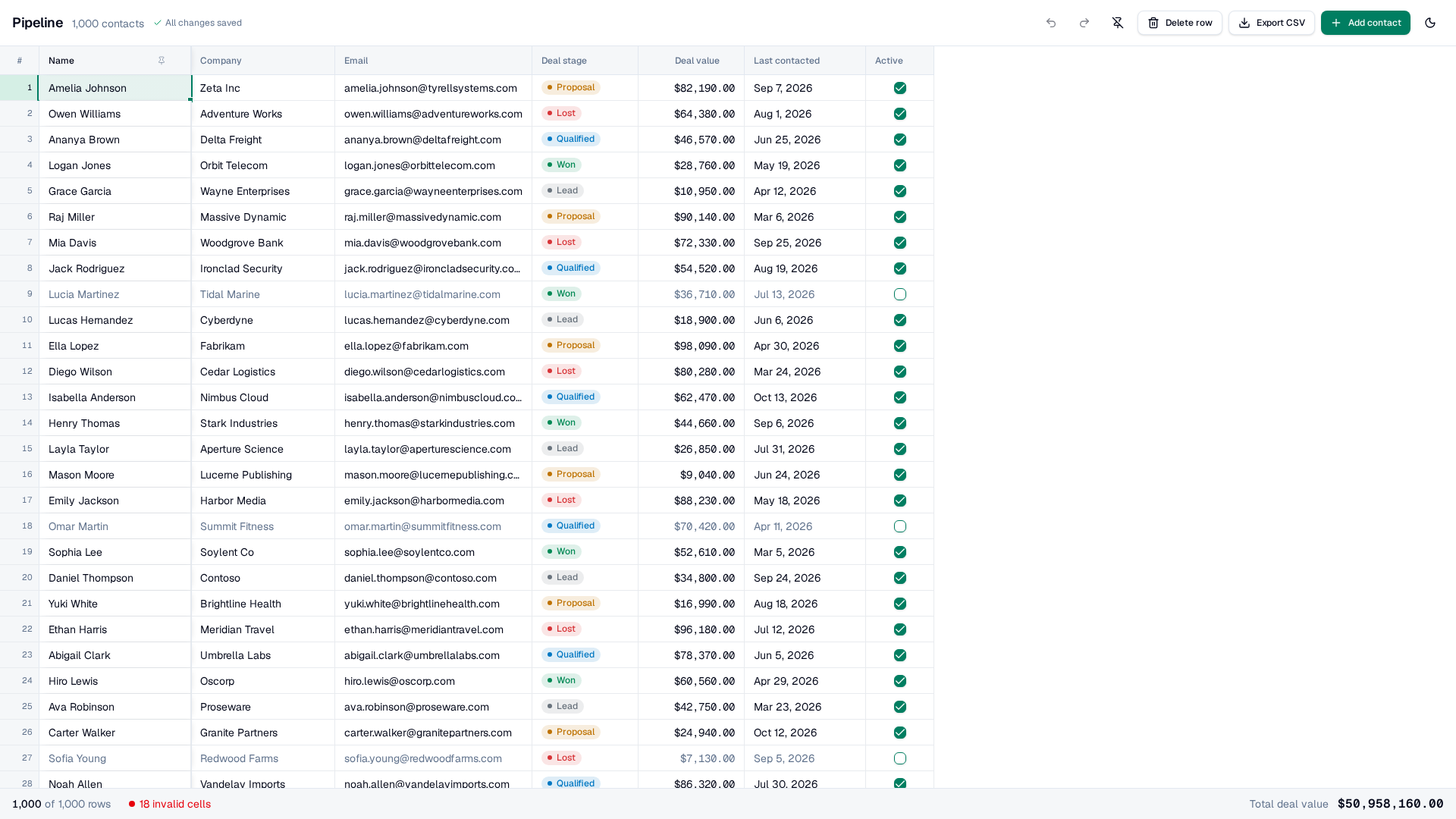
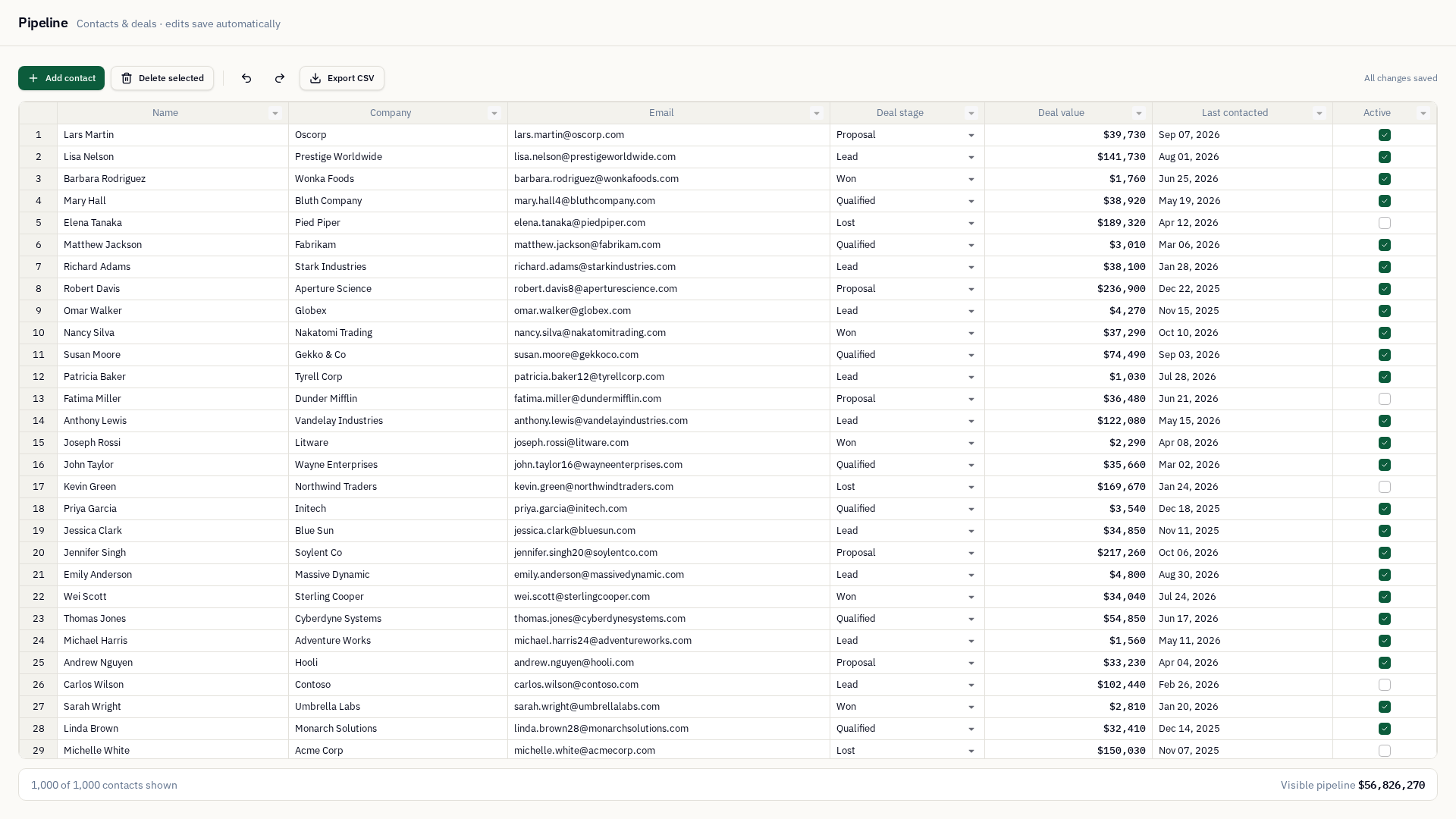
To be fair to A0, it built every feature in the spec and passed every live test. A1 did well too, with no help. It used current packages and the React wrapper, mapped the Handsontable theme onto shadcn’s CSS variables, and computed the footer totals in JavaScript, which avoids formula cells breaking on sort. It even worked out the v18 API by grepping the .d.ts files in node_modules.
Then the live tests found two data-integrity bugs in A1 that A0 didn’t have:
- Filters reset. Apply a filter, edit any cell, and the filter is gone. The grid shows all 1,000 rows again, while the footer still shows the filtered total.
- Paste breaks saving. Pasting two columns sent one upsert with the same row id twice. Postgres rejected it, the failed rows went back in the queue, and every save after that failed too.
In this test pair, naming the library cut the cost in half and used 5x less code, but the app it built had two serious bugs at first.
Round 2: the public skill
Getting our skill into Lovable took some packaging. The MCP’s create_workspace_skill only writes a single SKILL.md, and it’s capped at 100,000 characters. Our skill is a 42K SKILL.md plus reference files, so I inlined the three most relevant references and landed at 97K.
The skill clearly reached the agent, because A2’s summary repeated new licensing facts that only exist in the skill. But both bugs were still there. The filter still reset, and the paste only worked by accident: A2 happened to save each cell as its own request instead of batching rows.
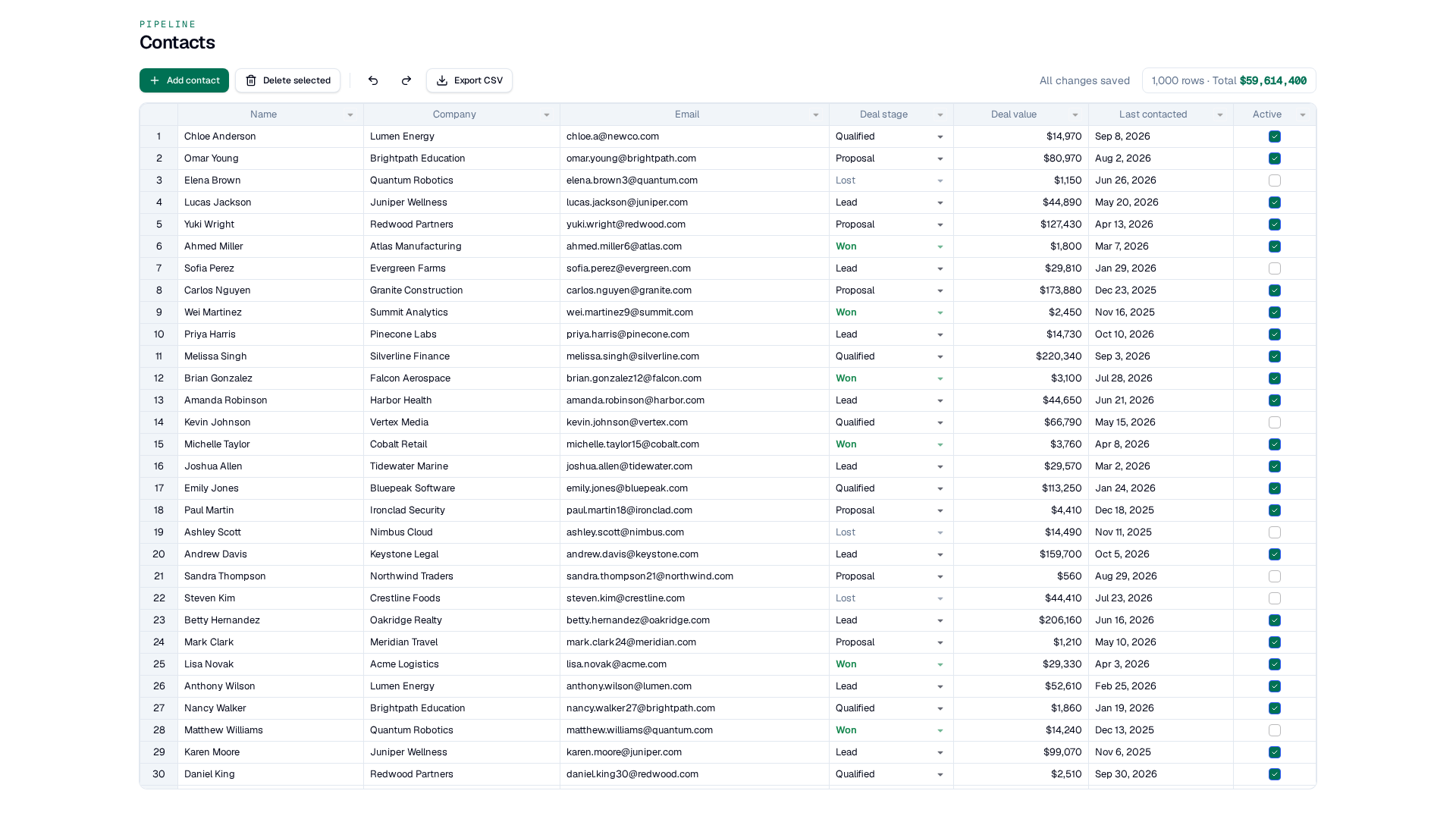
The correct save recipe was sitting in one of the inlined reference files, in context, but the agent wrote the broken pattern anyway. Getting a skill loaded is one problem, and getting the agent to follow it is another.
Round 3: a short Lovable skill
For A3, I added a second workspace skill with 3,500 characters and four rules. Each rule says which failure it prevents:
- Don’t re-render the component that renders
HotTable. Re-rendering it resets an active filter. Keep fast-changing state like totals and save status somewhere else, and keep the grid’s props stable. - Save by row id. Never dedupe dirty rows by the object Handsontable returns, and rebuild the payload from current data when you send it.
- Multi-column sort is Ctrl/⌘+click. Don’t tell users to Shift+click.
- After installing a package, check that it’s in the committed
package.json, and don’t call the build done until the hosted preview loads.
A3 followed every code-level rule. It moved the totals into an external store read with useSyncExternalStore, keyed its save queue by row id, showed the right sort hint, and grepped package.json right after installing. Both data bugs were gone, and the rerun came back with the same design and the same passing tests.
Without the Lovable skill, 0 of 3 Handsontable runs kept the filter after an edit. With it, 2 of 2 did.
| Run | Guidance | Credits | Filter survives an edit | 2x2 paste saves | Dependency committed |
|---|---|---|---|---|---|
| A0 | No library named | 12.3 | Yes | Yes | n/a |
| A1 | Handsontable named | 5.5 | No | No (HTTP 500) | Yes |
| A1 rerun | Handsontable named | 11.1 + 0.9 fix | No | Yes, by accident | No |
| A2 | Public skill | 4.3 + 1.6 fix | No | Yes, by accident | No |
| A3 | Public skill + Lovable skill | 9.6 + 1.0 fix | Yes | Yes | No |
| A3 rerun | Public skill + Lovable skill | 6.6 | Yes | Yes | Yes |
The dependency that kept disappearing
Rule 4 didn’t help. In three of five Handsontable runs, with and without the skill, the agent installed the package and confirmed it was in package.json, but the committed file still didn’t have it. Something later in the run removed it, and the skill was not enough to fix it. A one-line follow-up prompt fixed it every time, for 0.9 to 1.6 credits, without touching any app code. It’s a Lovable platform issue, and we’re reporting it to them with the project ids.
Where guidance lives in Lovable
Lovable has three places to put guidance, and they work differently:
- Knowledge: 10,000 characters, always in context, shared across the workspace.
- Skills: loaded on demand, up to 100,000 characters each, and scoped to the workspace. They don’t come along when someone remixes your project.
- AGENTS.md: lives in the repo, so it ships with every remix. Lovable’s starter already includes one with a
<!-- LOVABLE:BEGIN -->block that Lovable manages, and the agent adds its own notes below it.
So for public templates, AGENTS.md is the right place to store any extra guidance for your library. The agent also uses that file as its own notebook, so check that your text survives a few follow-up edits.
The playbook
- Drive the builder through its MCP or API, so every run gets the same input and you can pull the transcript, diff and cost for each one. This also avoids being stuck in the web chat for each test.
- Write one prompt that exercises your library’s hard parts, and tell it what not to build.
- Change one thing per version: library unnamed, library named, public skill, platform skill. Run each version at least twice.
- Test the hosted app with interactions you verify against real data. Screenshots and the agent’s own report missed every bug in this test.
- Write the guidance as a short list of rules, each stating the failure it prevents. Put it where it travels with the code, like
AGENTS.md, and check that it survives the agent’s edits. - Re-run and compare.
Caveats
This is six runs on one AI app builder with one prompt. Credits for the same version varied by about 2x between runs. More runs of the same prompt and more tests with other prompts would give a better estimate of the credit savings and the reduction in code. The first results already show far less code with a specialized library, and fewer bugs once the agent has the right rules.
Conclusion
AI app builders may not reach for your library unless asked. And when they do, chances are they will get a few things wrong. The best way to help those users and their agents is to find the places Lovable and other AI app builders struggle with your product, and produce the platform-specific skills that correct it. Putting the same rules in AGENTS.md should carry them into remixes, so the knowledge can help others instead of being trapped in your workspace.