
Edit Salesforce records like a spreadsheet
A Lightning Web Component your developers deploy once. Then your team pastes a range, drags the fill handle and undoes a mistake, and every change saves to the live record under your org’s own permissions.
Trusted by business software teams








Bulk editing in Salesforce without the usual workarounds
A list view edits one cell at a time, or sets one value on up to 200 records. Anything more goes out to a spreadsheet and back in through Data Loader. Handsontable DataGrid brings the spreadsheet into the org: paste a range, catch bad values as they’re typed and save to live records.
Spreadsheet editing inside Lightning
Moves your team already knows.
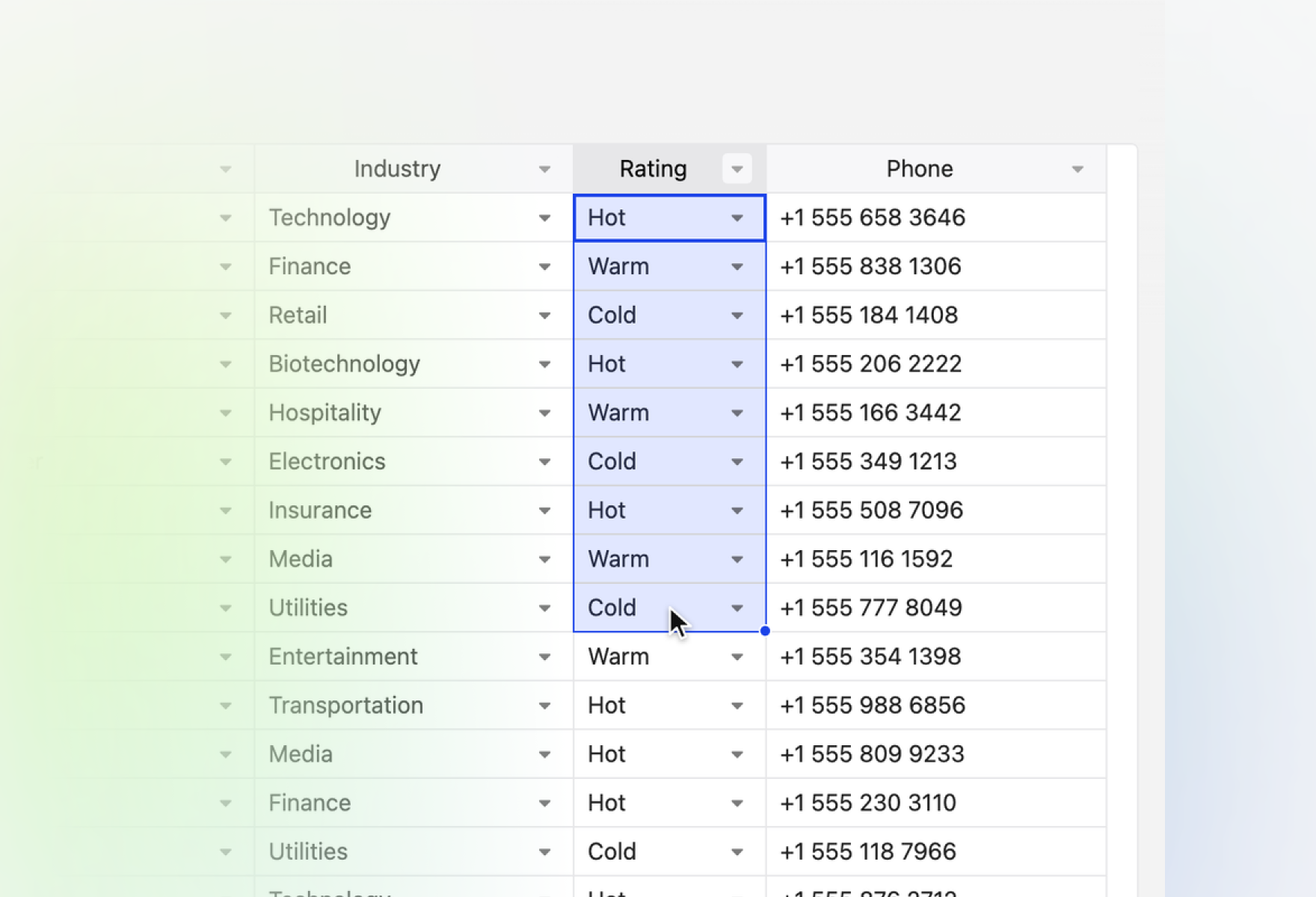
- Copy and paste
- Select a range and paste it from a spreadsheet in one go.
- Fill handle
- Drag to repeat a value, or a pattern of values, down a column.
- Undo and redo
- Take back a cell edit, and the record is saved back with it.
- Right-click menu
- Insert and remove rows from the menu people expect; new and removed rows are created and deleted in the org.
Clean data before it is saved
Wrong values are caught in the cell, not after an import.
- Cell types from metadata
- Picklists become dropdowns, numbers numeric cells and booleans checkboxes.
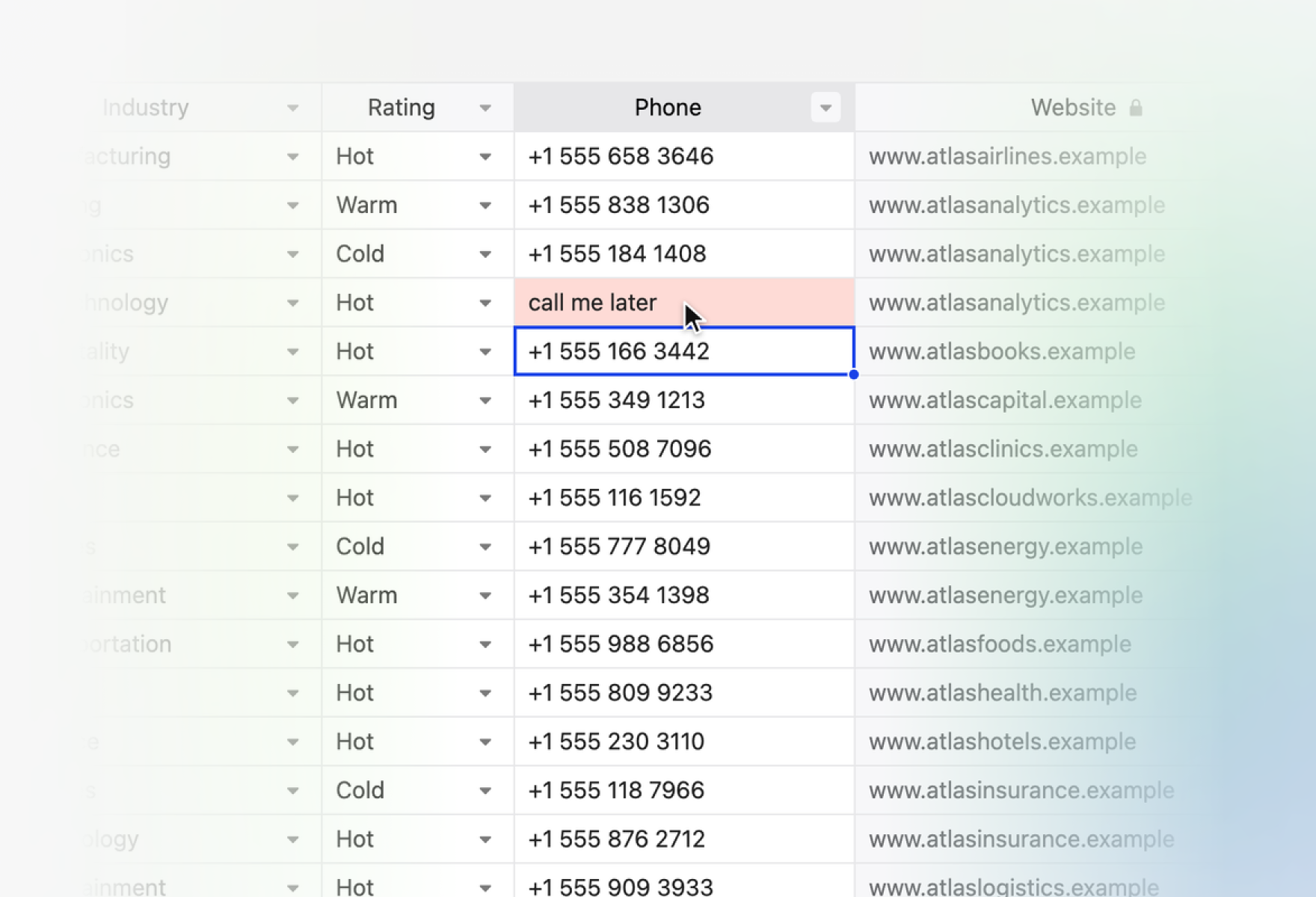
- Validators
- Add a check to any column, and a bad value is flagged as soon as it is entered.
- Read-only cells
- Your developers can lock any column, such as fields a user may not edit.
- Validation rules
- Your org’s own rules still run on every save.
Sort, filter and total what matters
People work in the view the job needs.
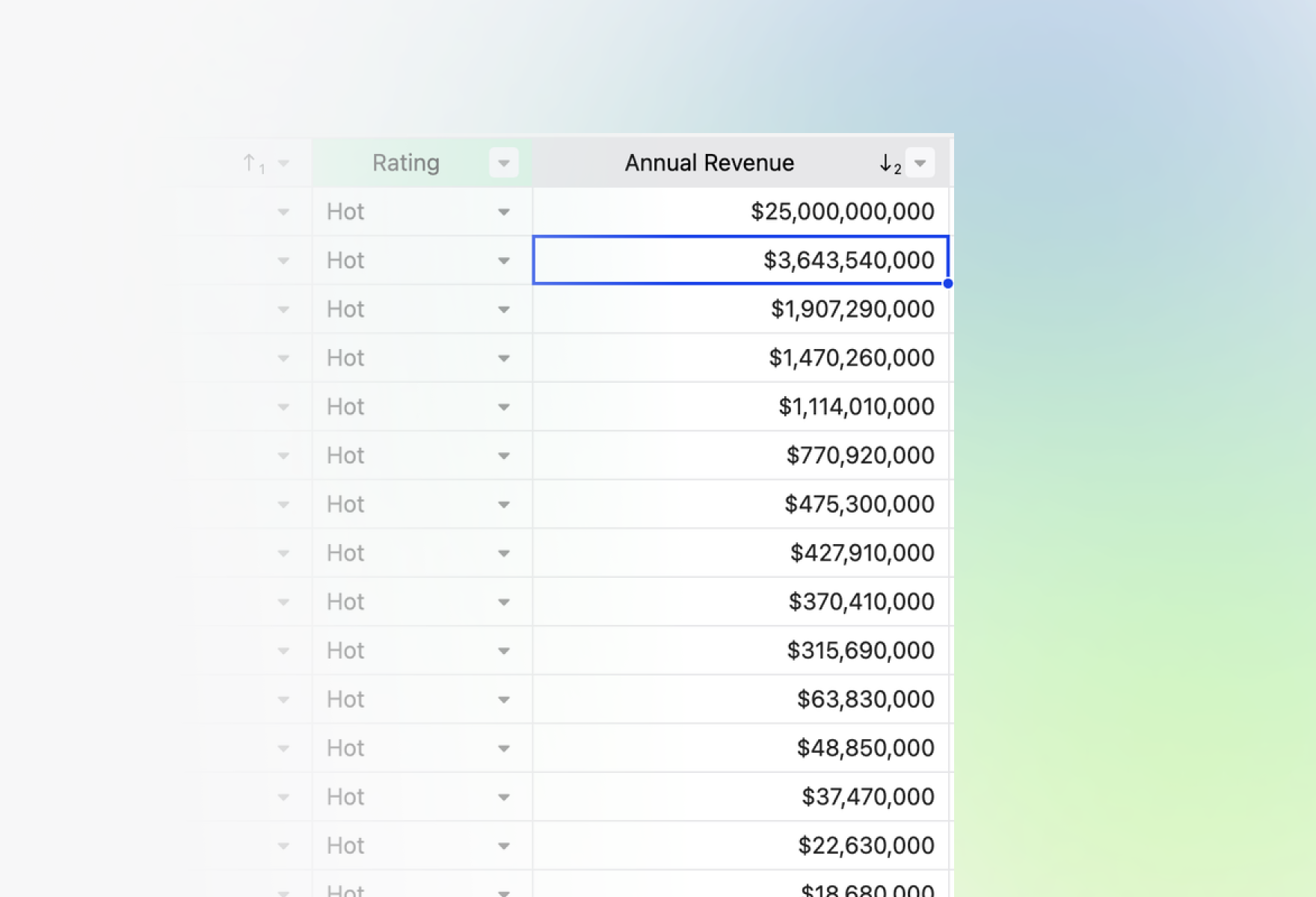
- Multi-column sorting
- Sort by several columns at once.
- Column filters
- Filter by value or by condition.
- Column totals
- A total, average or count under any column, recalculated as you edit.
- Server-side data
- In a large org, load records as they are needed and let the server sort, filter and page them.
Fits your org under your own rules
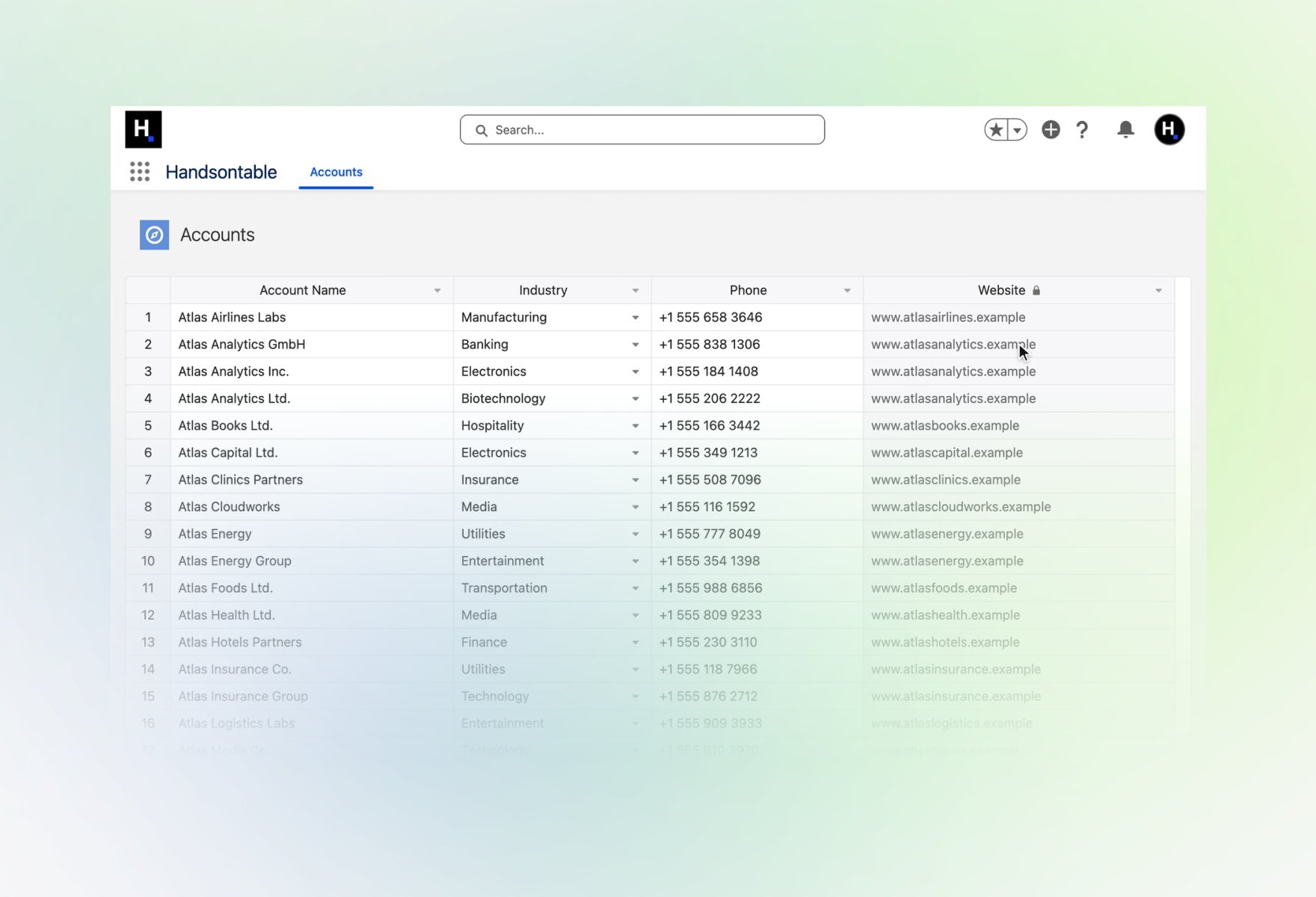
Every save goes through your permissions, sharing and validation rules.
- Your permissions apply
- Sharing, field-level security and validation rules work as on any record page.
- Create, update and delete
- Rows added or removed in the grid are created or deleted in the org.
- No Apex
- Records are read and saved through Lightning Data Service, so there is no server code to maintain.
- Lightning Web Security
- The grid runs under it with no workaround code.
A list view, a datatable or a grid of your own
A new owner across 300 accounts, a field corrected across a region, a cleanup after an import: Salesforce’s own options, and Handsontable DataGrid.
| List viewBuilt into Lightning | Lightning DatatableSalesforce’s base component | Handsontable DataGridYour own Lightning Web Component | |
|---|---|---|---|
| Editing | |||
| New values across many records | Cell by cell, or one value on up to 200 records | Cell by cell, or one value on selected rows | Paste a range of different values |
| Fill down a column | No | No | Yes |
| Undo a cell edit in the session | No | No | Yes |
| Wrong values caught | On save, or in an error file after a load | Where your code checks them | When a cell is entered, and on save |
| Your own cell types, validators and logic | No | Yes, in code | Yes, in code |
| Working with records | |||
| How much it shows | Up to 15 fields, 2,000 records | Best up to 1,000 rows and 5 columns | Renders only what is on screen; records load page by page |
| Sorting and filtering | Yes | Sorting your code implements | Yes |
| Totals under a column | In a separate report | No | Yes |
| A bigger change | Export, edit in a spreadsheet, load back | In place, cell by cell or one value on selected rows | Edited in place, never leaves Salesforce |
| Cost and setup | |||
| Cost as users grow | Included in Salesforce | Included in Salesforce | Commercial, per developer |
| Who sets it up | Built in | Your developers | Your developers |
List view as in Lightning Experience; inline editing varies by object, record type and filters. Lightning Datatable figures are Salesforce’s own performance guidance.
A component with a team behind it
A license comes with the engineers who build the grid, a support window you can plan around and the documents your security review will ask for.
Questions Salesforce teams ask first
Installing, editing, styling and licensing. Anything else goes to the team that builds the grid.
Talk to usAs a Lightning Web Component. The library is uploaded as a static resource and loaded with loadScript and loadStyle; the reference component then reads and writes records through Lightning Data Service, with no Apex. Every save goes through your org’s own permissions, sharing and validation rules.
Yes. Editing, selection and copy and paste work under Lightning Web Security, with no extra code. Lightning Web Security is the default for orgs created since Winter ’23; if your org still runs the older Lightning Locker, ask us first.
No. Handsontable DataGrid is a JavaScript component your developers add to your org from source with the Salesforce CLI, the way the reference component on GitHub is deployed.
No. It’s a working example on live Accounts. Your developers take it from there: the objects, fields, checks and paging your team needs.
A developer deploys the reference component from source with the Salesforce CLI: authorize the org, run sf project deploy start, assign the included permission set and open the Handsontable Grid tab. A Developer Edition org, a sandbox or a trial org is enough to try it.
A list view edits cells one by one, or sets one value on up to 200 selected records. In the grid you can also paste a range from a spreadsheet, drag the fill handle and undo what you got wrong. The grid hands every changed cell to your component, which saves it to its record.
It suits a short, simple list. It edits cell by cell or sets one value on selected rows, documents no range paste, fill-down, undo, filters or column totals, leaves sorting to your code, and Salesforce rates its performance best up to 1,000 rows and 5 columns. Handsontable DataGrid adds those and renders only the rows and columns on screen.
The reference component shows Accounts from the All Accounts list view and reads each field’s type from its metadata: picklists become dropdowns, numbers numeric cells, booleans checkboxes. To show another object or list view, your developers change the object, the list view name and the default for new rows in the app component. Lightning Data Service supports all custom objects and the standard objects User Interface API supports.
Yes. Your developers can match it to Lightning’s look, starting from a built-in theme, and choose how each column displays and checks its values.
The grid renders only the rows and columns on screen, so a large table scrolls like a small one; the performance demo sorts and filters a million cells in the browser. How many records you load at a time is up to your component: the reference component loads 50, and for a large org you can load records page by page as they are needed.
No. The grid runs in the browser inside your org and reads and saves records through Lightning Data Service. It has no phone-home or license server, so nothing is sent to us.
The reference component ships with the evaluation key, which is fine for trying it out. For production use in your org, buy a commercial license: Handsontable DataGrid is licensed commercially, per developer.
Everything a developer needs to start
The guide behind the component, the step-by-step recipe and the source code on GitHub.
Guides
Code and demos
- Reference componentA starting point on GitHub: live Accounts with create, read, update and delete, no Apex. Your developers build your org’s version on it.
- DemosRunnable examples for editing, validation, exports and themes.
- DocumentationGuides and the full API reference, versioned and TypeScript-aware.
Make every data point count. Turn millions of them into actionable wisdom.
Let’s make it easier.
Smoother. Faster. All Handsontable.