
Handsontable 18.0.0: A TypeScript Core, a New Layout System, and a Faster, Lighter Grid
Handsontable 18.0.0 is our biggest foundational release in years. We’ve migrated the entire core from JavaScript to TypeScript, rewritten the rendering engine for dramatically lower memory use and faster load times, dropped four runtime dependencies, and added a new layout system that gives you control over how UI elements render around the grid. Alongside the code, our documentation got a major overhaul, including new Vue 3 and AI Tools sections. Here’s everything that changed.
A core rewritten in TypeScript
The headline of this release is under the hood: the entire Handsontable core has been rewritten from JavaScript to TypeScript. This is a long-term investment in stability and developer experience that touches nearly every part of the codebase.
The rewrite brings strict-mode compatibility, type-aware lint rules, and stronger typings for built-in renderers, editors, and validators — the cell properties passed into them now use the canonical CellProperties interface instead of a loose record type. We also folded Walkontable, our rendering engine, into the main type-check program and cut its as unknown escape-hatch casts by roughly 85%.
For everyone consuming the published package, we fixed the broken and ambiguous type declarations that previously tripped up ESM and CJS setups. The shipped .d.ts files are now compatible with TypeScript 5.1 and later, so editor autocompletion and type checking should work out of the box.
Because this is a foundational change to how the source is written and typed, it’s a breaking change. Most applications will not need code changes, but stricter type definitions can surface issues that were previously hidden.
Faster rendering and dramatically lower memory use
Handsontable 18.0.0 includes the largest performance and memory improvements we’ve shipped in a single release, driven by a rewrite of how the grid renders and how it handles cell metadata.
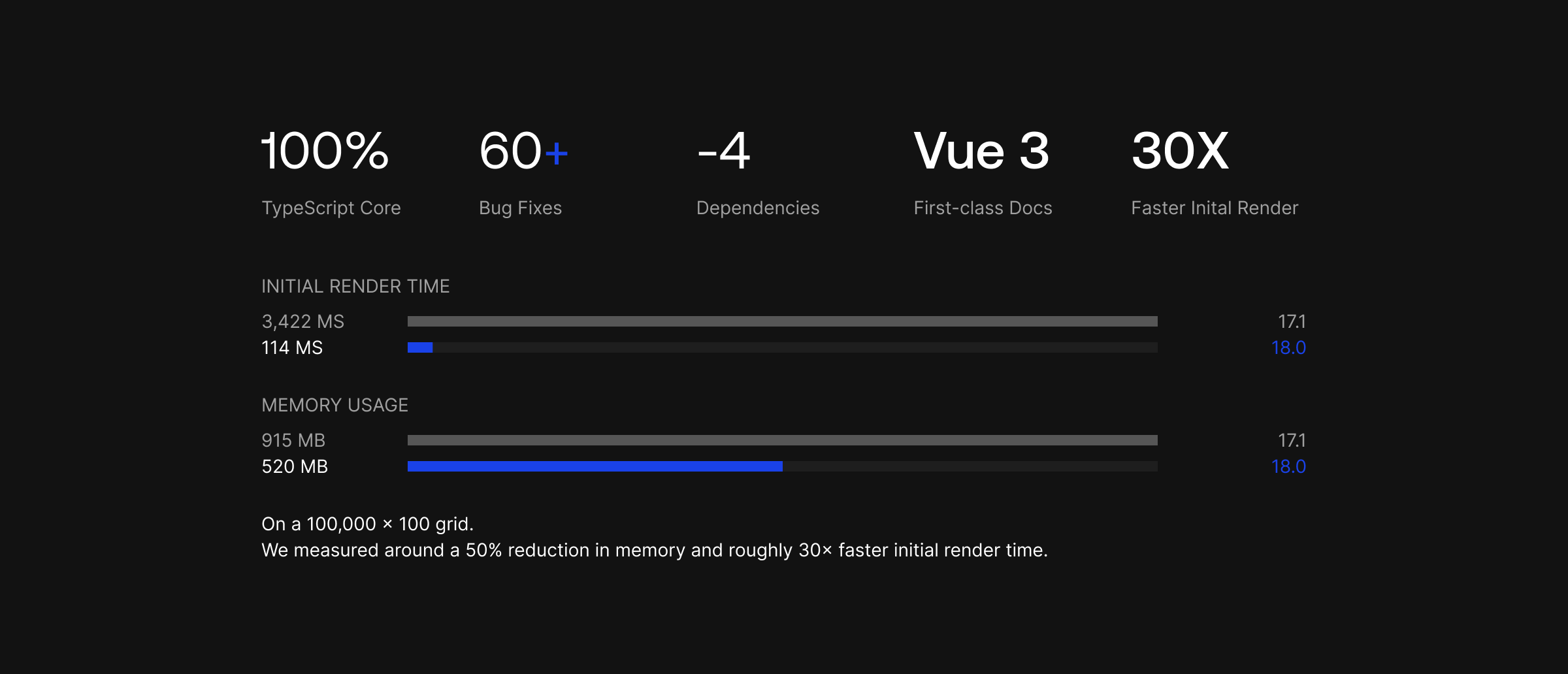
Walkontable now renders directly to the DOM, and we removed the old diffing renderer entirely. This cut the grid’s memory footprint by roughly 50%, reduced memory use during scrolling, and resolved potential out-of-memory errors on very large datasets. On top of that, we no longer eagerly materialize cell metadata for the whole grid on load — it’s computed lazily as cells are actually used. For large datasets the impact is substantial: on a 100,000 × 100 grid, we measured around a 90% reduction in memory and roughly 30× faster initial render time.
We also fixed a long-standing rough edge: cell meta set imperatively with setCellMeta (for example, readOnly) is no longer reset by updateSettings. Rounding things out are the usual smaller optimizations: faster repeated getSourceData() calls inside the cells function and custom renderers, cached overlay alignment calculations, and faster locale-aware text comparisons across search, filtering, sorting, autocomplete, and checkbox rendering.
A new layout system
Handsontable 18.0.0 introduces a new layout option that lets you control the order of UI elements rendered around the grid, such as pagination and the dialog.
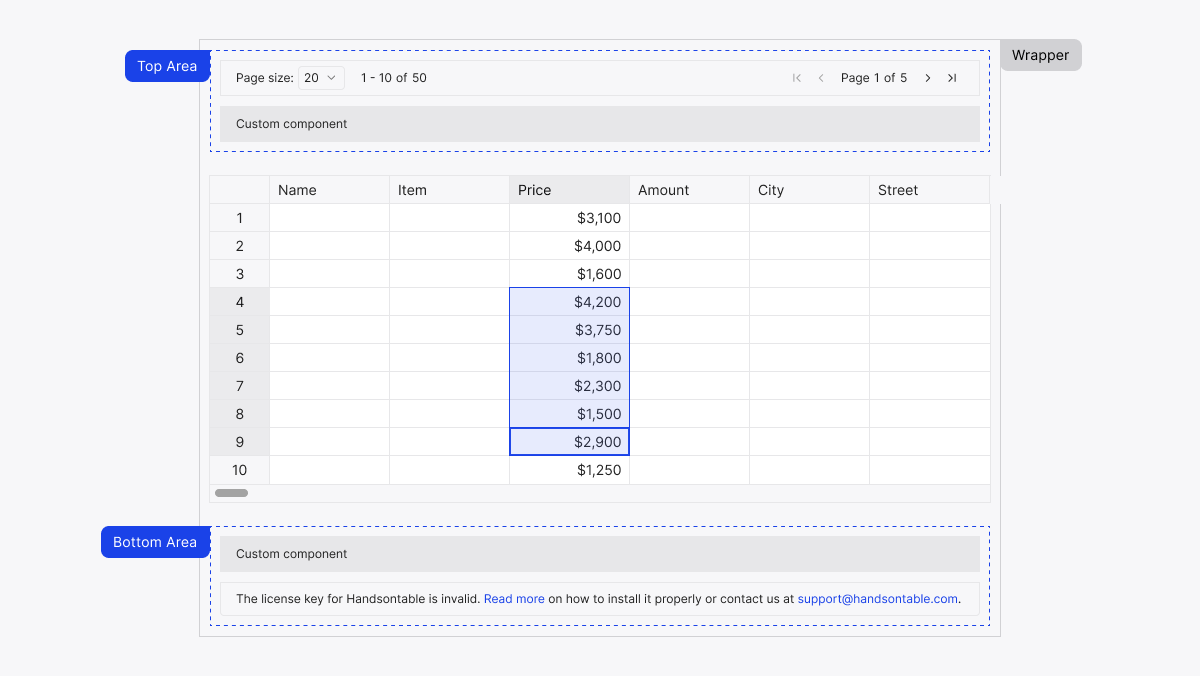
To make this possible, built-in UI now mounts into dedicated wrapper containers rather than being injected ad hoc, which changes the root DOM structure — a breaking change to be aware of if you target Handsontable’s markup with custom CSS or scripts.
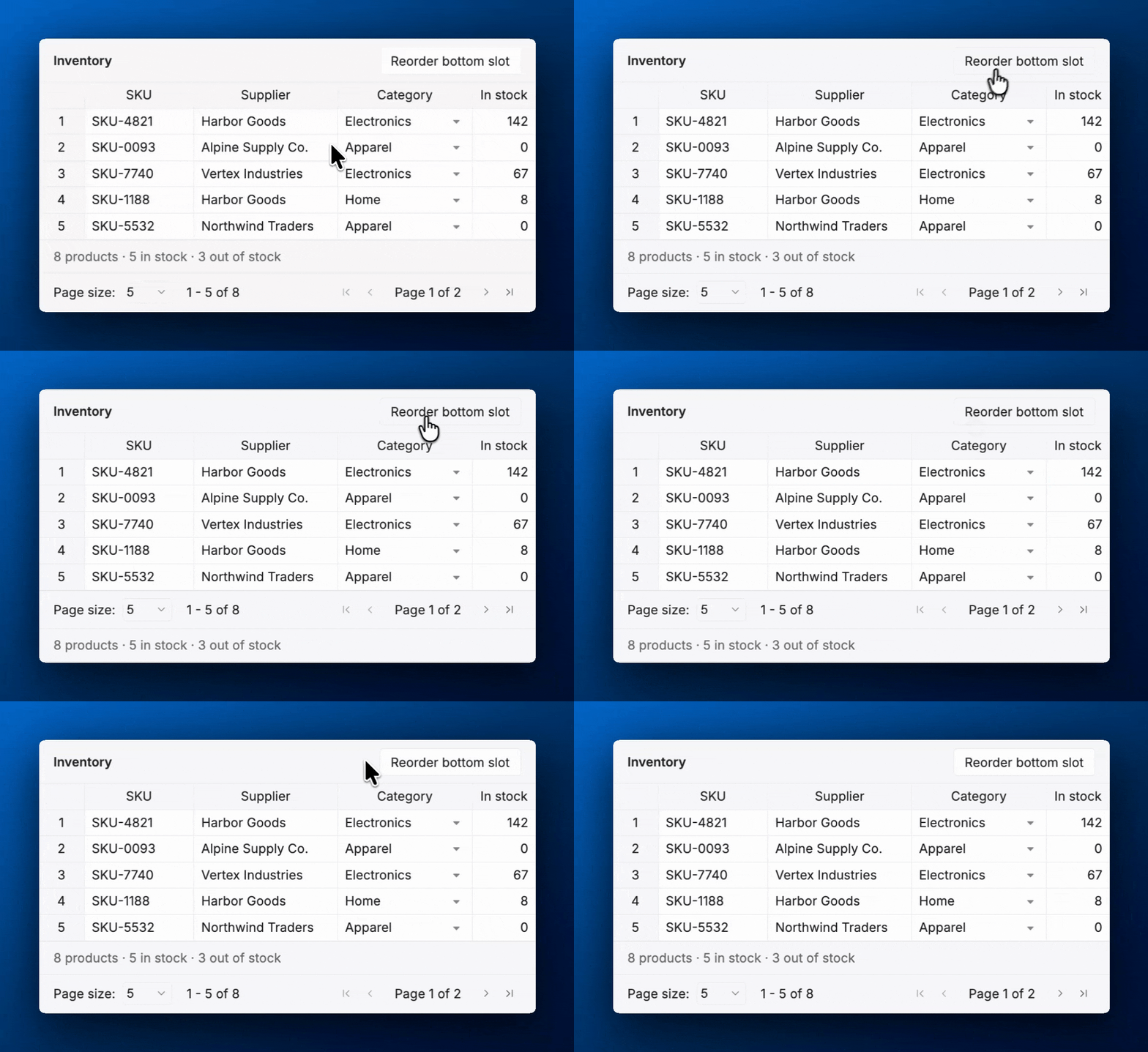
A couple of details worth knowing: the license notification always renders last in the bottom area and is not orderable, and the Notification plugin now renders its toasts in the grid’s overlay layer for more reliable positioning.
A smaller, dependency-free bundle
We’ve removed four runtime dependencies — numbro, moment.js, DOMPurify, and @handsontable/pikaday — in favor of lighter, built-in implementations. This trims the bundle and reduces the surface area for transitive security and maintenance issues. Removing these is a breaking change for anyone relying on them indirectly through Handsontable.
We also retired some long-deprecated APIs:
- The
PersistentStateplugin, itspersistentStateoption, and its associated hooks have been removed. - The Core-level undo/redo methods (
hot.undo(),hot.redo(), and friends) are gone. Usehot.getPlugin('undoRedo')instead.
A modernized Angular wrapper
The Angular wrapper has been modernized to align with current Angular versions. Under the hood we simplified setup, reduced dependencies, and cleaned up tooling, and we fixed a batch of subscription and cleanup leaks along with several editor lifecycle bugs.
New configuration options
This release adds a few new ways to configure the grid:
hashRevealDelayon the password cell type briefly shows each character as it’s typed before masking it.visibleWhenon nested headers ('collapsed','expanded', or'always') lets you choose which columns of a collapsible group stay visible in each state.- Public types such as
CellMeta,CellProperties,ColumnSettings, andGridSettingsare now re-exported as named top-level imports fromhandsontableandhandsontable/base, so you no longer have to dig through internal paths to type your code.
Theming changes
We simplified the border-related theme variables. The --ht-wrapper-border-radius variable has been renamed to --ht-border-radius, and the --ht-wrapper-border-width and --ht-wrapper-border-color variables have been removed. If you reference these in a custom theme, you’ll need to update them when upgrading.
Interaction improvements
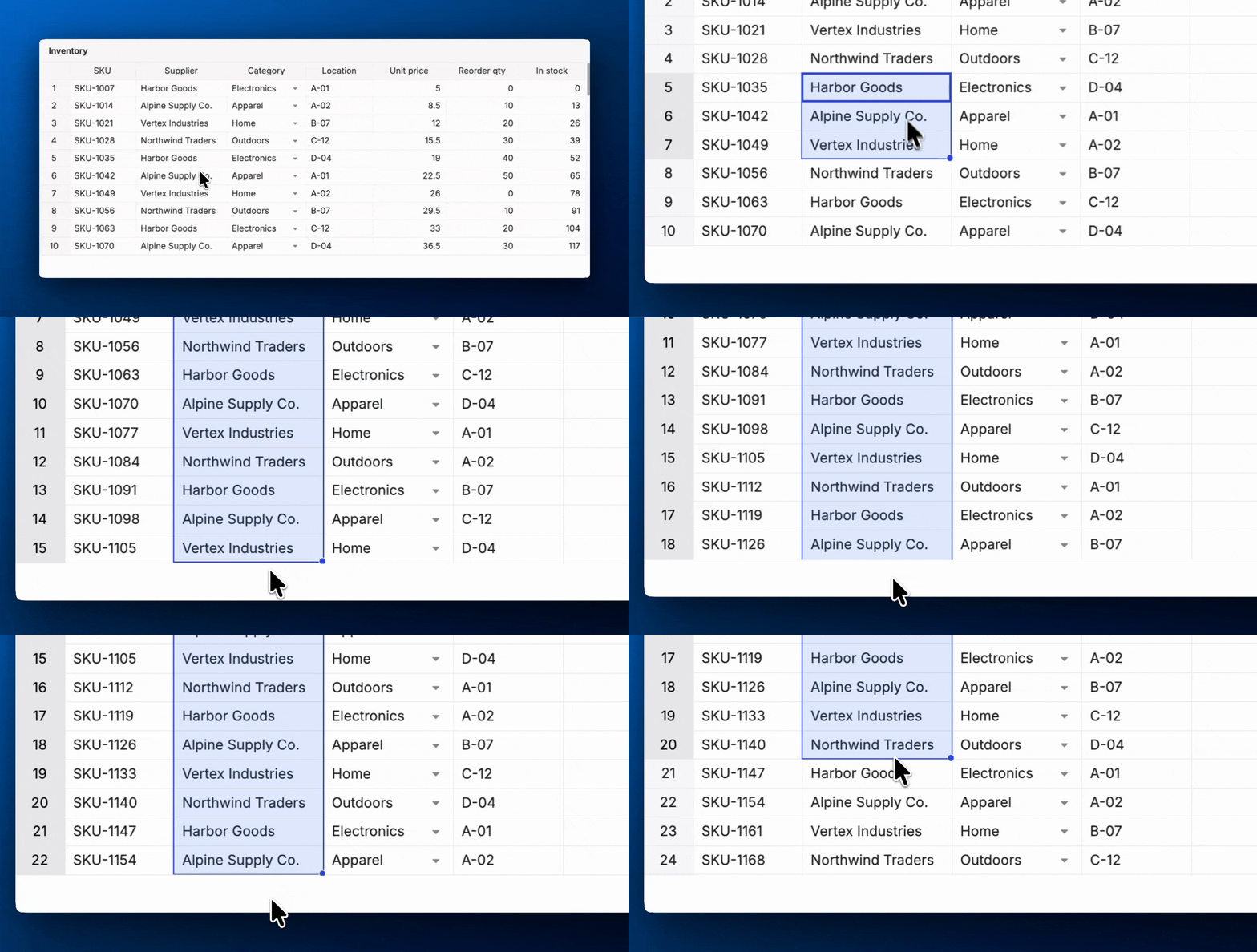
A few changes make everyday interactions feel closer to a desktop spreadsheet. Dragging a selection past the edge of the viewport now scrolls the grid and extends the selection to the newly revealed cells, and the autofill selection direction now matches the drag direction, the way Google Sheets and Excel behave.
Documentation: new guides, recipes, and a Vue section

This release adds documentation for its biggest changes. Layout slots is the counterpart to the new layout system, showing how to place custom UI in the wrapper slots around the grid and control the order of elements in each slot. TypeScript types is a complete reference of the types and interfaces Handsontable now exports, with usage examples for settings, hook callbacks, custom renderers, and editors. And a new Migrating from 17.1 to 18.0 guide walks through removing the moment.js, Pikaday, numbro, and DOMPurify dependencies and updating your TypeScript imports.
Vue 3 now stands alongside React and Angular as a first-class framework in the docs, with its own dedicated section and new examples. Vue developers get first-party guidance written for Vue, instead of adapting the vanilla JavaScript examples.
The docs also include a new AI Tools section for working with Handsontable through AI, from Claude Code skills to an AI-assisted theme builder.
60+ bug fixes
This release also resolves more than 60 issues across the grid, including:
- Selection, merged cells, nested headers, and frozen-rows/columns alignment fixes.
- Filtering, sorting, and date/numeric parsing fixes, including locale-specific cases, boundary dates, and European number formats.
- Formulas plugin fixes covering column summaries, row/column reordering, and date/time formula values.
- React and Vue 3 wrapper fixes for renderer unmounting, phantom columns, and height handling.
- Memory-leak fixes in ThemeManager and IntersectionObserver handling.
Upgrading to 18.0.0
Because 18.0.0 includes several breaking changes — the TypeScript core, the new DOM structure from the layout system and rendering rewrite, removed dependencies and deprecated APIs, and the renamed theme variables — we recommend reviewing the migration guide (17.1 → 18.0) before you upgrade.