Handsontable’s AI tools: a Docs MCP server, Claude Code skills, Ask AI, Theme Builder Assistant, and a demo playground you can talk to
 Tools / October 7, 2026
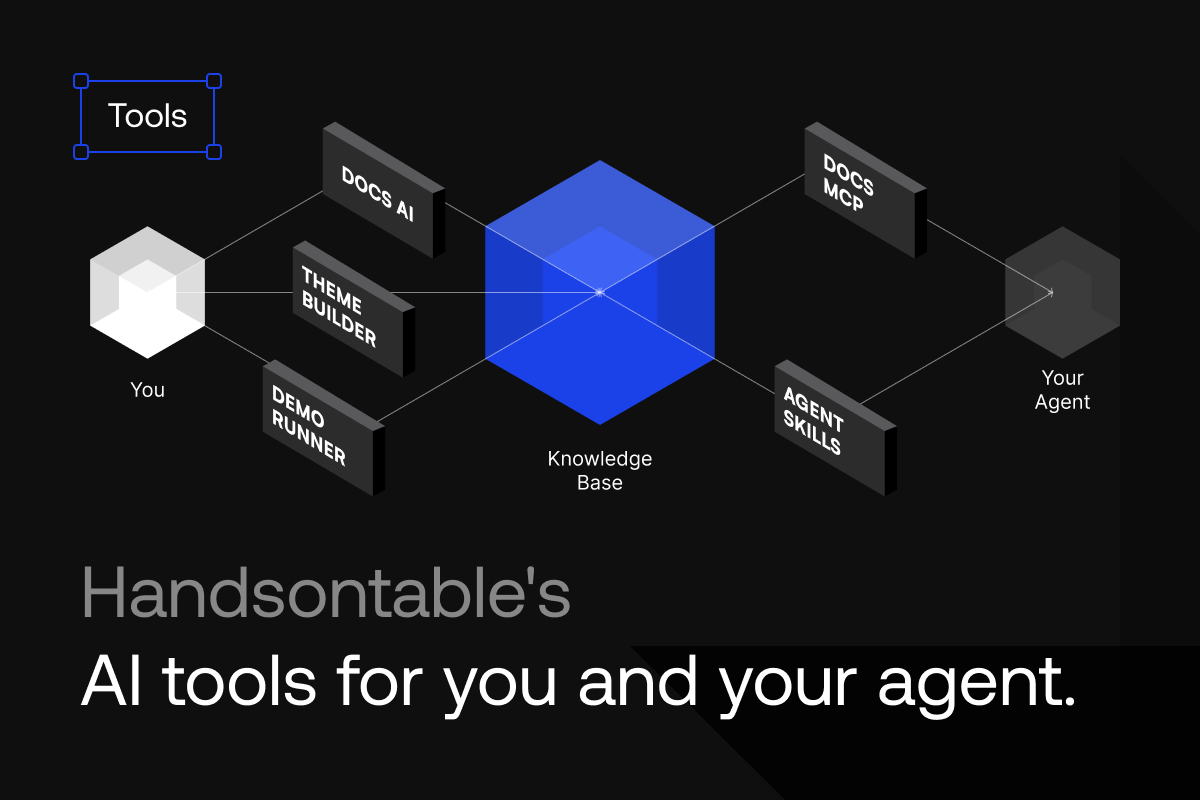
In November 2025 someone on the Handsontable forum asked for an MCP server so their coding agent could read the current docs instead of guessing. Here’s what we’ve shipped since then: a public Docs MCP server, skills for Claude Code and other agents, an Ask AI assistant in the docs, an AI tab in the Theme Builder, and a demo sandbox with an AI coding assistant.
Here’s a quick rundown of each tool, who it is for (you or your agent), and when to use it.
Ask AI, inside the docs
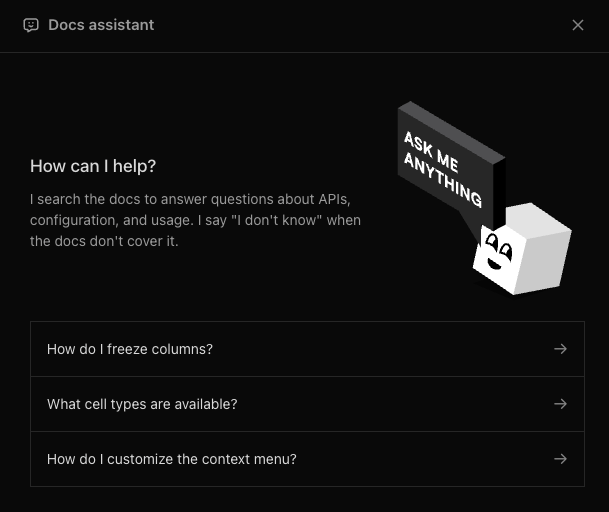
The Ask AI button in the docs header answers questions about Handsontable and HyperFormula, writes code examples, and links you to the guide or API page it drew from. It knows which page you are on, so you can ask about the current page without pasting it, and the conversation follows you when you click through to another page. Ask in Polish or Japanese and it answers in kind, while keeping the method and hook names in English so the code still runs properly.
It works differently than the search box. Cmd+K matches keywords. Ask AI matches on meaning, so “make the header row stay put when I scroll” finds frozen rows even though neither word appears in your question.
Its knowledge base covers docs, release notes, change logs, issues and blog posts for both libraries. When it can’t find an exact answer, it says “I don’t know.” rather than guess.
The Docs MCP server
The Docs MCP server gives that same knowledge base to your coding agent.
https://docs-assistant.handsontable.com/mcp
It’s a public Model Context Protocol endpoint over streamable HTTP. Nothing to install, no API key, and it is listed in the official MCP registry as com.handsontable/docs.
It exposes one tool, search_docs. Your agent sends a query and gets back ranked snippets from the same knowledge base that powers Ask AI. Each snippet carries a title, the relevant content, and a URL where a public page exists. Where no page exists, the server tells the agent not to invent one.
It’s also version aware. Your agent can pass the Handsontable or HyperFormula version it is working against, and the response will be based on that version of the docs.
If your tooling doesn’t speak MCP yet, the same search is available as a plain HTTP endpoint.
Skills for Claude Code and other agents
Search tells the agent what an option is called. The skills tell it how to think about the problem before it starts coding.
The two skills in handsontable/handsontable-skills are instruction sets that load into Claude Code, Codex, and any other agent that supports Agent Skills. The handsontable skill covers setup in JavaScript, React, Angular, and Vue, plus configuration, theming, cell types, sorting and filtering, formulas through HyperFormula, hooks, performance, and version migration. The hyperformula skill covers the headless engine on its own: creating an instance, CRUD, custom functions, named expressions, error handling, batching, and running it in Node.
The skills focus more on concepts and best practices, and rely on the docs and other AI resources for in-depth knowledge. Each skill is tagged to the product release it describes, so an agent on 18.1 loads 18.1 guidance and nothing newer. Both are MIT licensed, and the HyperFormula skill is also on npm as @handsontable/hyperformula-skill if your toolchain prefers a package.
The AI Theme Builder
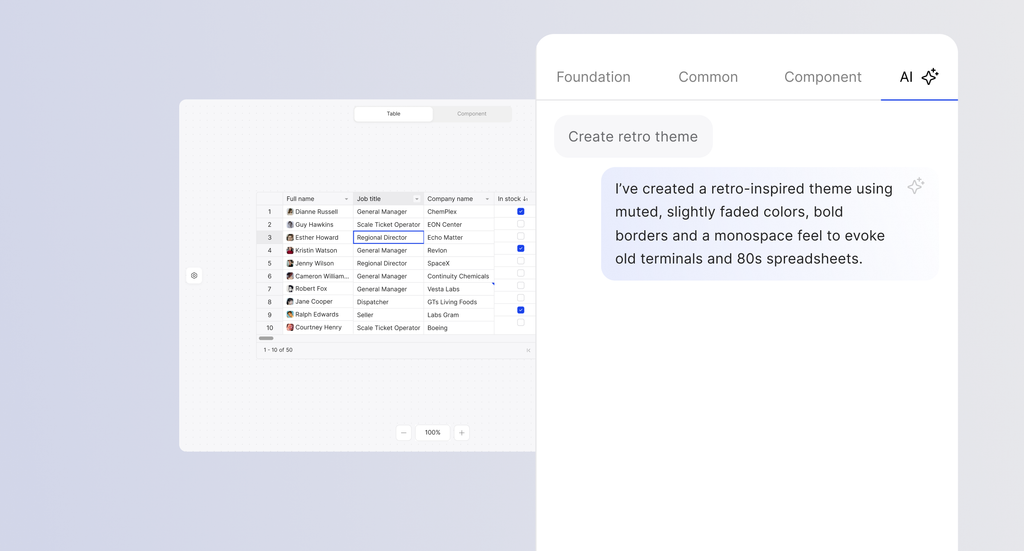
The first two tools answer questions. This one does work.
The Theme Builder launched in April as a visual editor over the 200-plus design tokens in Handsontable’s theming system. It now has an AI tab. Type “retro terminal theme” and the live grid goes dark with phosphor-green monospace text and reports which tokens it touched. “Change brand color to green” does exactly that. You can keep refining in chat mode, switch to the manual controls to finish, and export working configuration for JavaScript, React, or Angular, or open the result in StackBlitz.
Designed for easy theme export
The assistant rewrites token mappings rather than CSS overrides, so a generated theme keeps working with density modes, light and dark switching, and everything else the theming system does. It’s free, and it is the fastest way to customize the look and feel of the grid.
Demo runner coding assistant
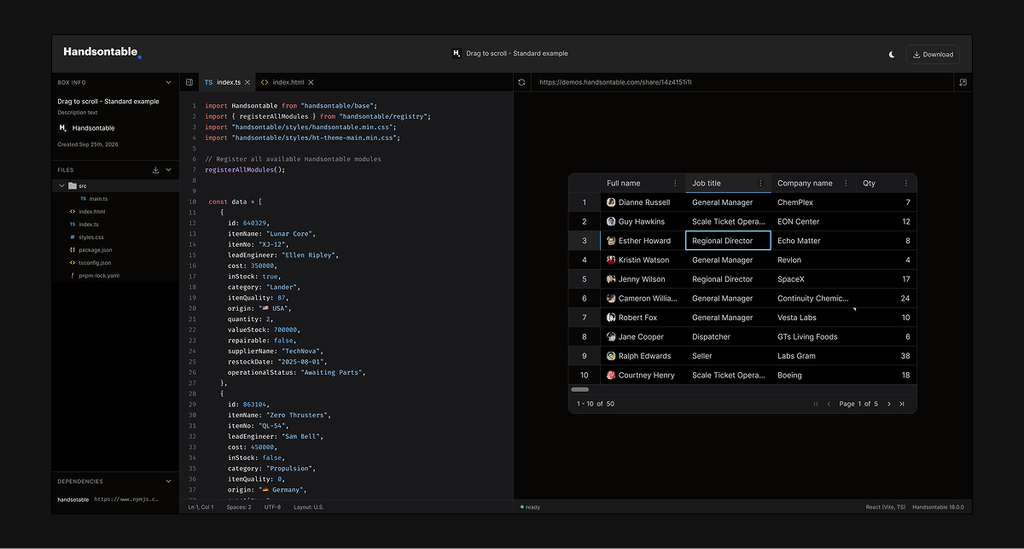
Everything above brings Handsontable knowledge into your tools. This one points the AI at a grid that is already running.
demos.handsontable.com hosts live, editable Handsontable examples for JavaScript, React, Angular, and Vue. Each one has an Ask AI panel that answers questions about the example open in the editor. The answers are grounded in the docs and in the example’s own source, so you can ask it general questions, or for specific edits on the current example.
When the answer includes a change, the panel shows you which files it would touch. Nothing is applied until you press Apply, and when you do, the preview hot-reloads with the change. One press of Undo puts the previous contents back. And just like Ask AI in the docs, every response includes related links to verify the source.
A tool for every surface
Whether you’re searching the docs, styling your app, or letting your agent write the code, there’s an AI resource made to support it. All Handsontable AI tools are backed by an extensive, version-aware knowledge base that is built with each new release, keeping it up-to-date and accurate.
Got a question or feedback about our AI tools? We’d love to hear from you!
Joseph Petty
Nuclear Plant Operator ☢️ (US Navy) turned Freelancer, turned Developer Advocate - Head of DX @ Handsontable, Founder/ Freelancer @ GreenFlux, LLC