Handsontable 17.0.0: MultiSelect Cell Type, Simpler Custom Cells, and a New Themes API
 Release Notes / March 9, 2026
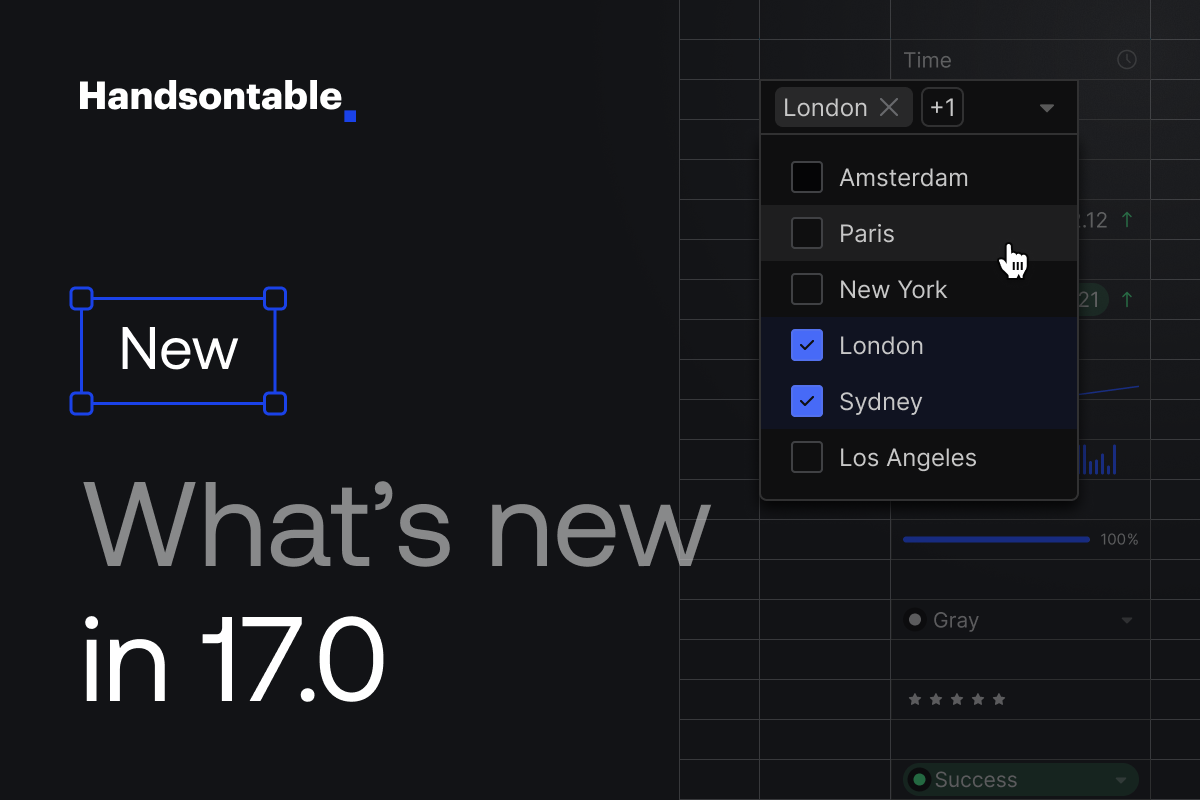
Handsontable 17.0.0 is designed to make advanced data table scenarios feel native, consistent, and easier to implement. This release focuses on expanding editing capabilities, simplifying customization, modernizing theming, and reducing technical overhead.
If you’re building complex admin panels or workflow-heavy applications, the new MultiSelect cell type gives you a built-in way to manage multi-value fields without custom hacks. If you create custom editors, the new factory-based approach significantly reduces boilerplate and speeds up development. And if your team uses a design system, the new Themes API and updated Theme Builder make it easier to align the table with your product’s visual direction. On top of that, dependency reductions make the library lighter and more aligned with modern web standards.
This update includes some backward-incompatible changes. We’ve prepared a migration guide to help you with a smooth upgrade.
Native support for MultiSelect Cell Type
The new MultiSelect cell type is designed for scenarios where a single field needs to store multiple values, such as tags, roles, categories, or shipment contents. Instead of limiting users to one choice, now you can select any number of options within the same cell from the dropdown menu that supports search, filtering, and full keyboard navigation.
Once selected, values are stored directly in the table’s source data as an array, keeping the data model clean and predictable for complex workflows. For clarity and usability, each selected item is rendered inside the cell as a removable chip, making it easy to review or adjust selections made. The available options are defined through the source property, which supports either a simple array of values or an array of { key, value } objects, where the value is displayed in the UI, and the full object is preserved in the underlying data.
The multiSelect cell type offers a flexible set of options so you can adjust both its behavior and presentation to match your use case:
allowEmpty: Defines whether an empty selection is considered valid (enabled by default).placeholder: Shows informative text in the cell when no values are selected.visibleRows: Sets how many options are visible at once in the dropdown list.maxSelections: Restricts the number of items a user can choose.sourceSortFunction: Applies custom logic to control how options are ordered.enterCommits: Specifies whether pressing Enter finalizes the selection and closes the editor.searchInput: Enables or disables the built-in search field within the dropdown.filteringCaseSensitive: Determines whether the search function distinguishes between uppercase and lowercase characters.
Beyond making data entry clearer and more intuitive for users who can quickly see, add, or remove multiple selections, MultiSelect also makes life easier for developers. It provides a built-in, reliable way to handle multi-value fields, reducing the need for custom solutions and ongoing maintenance
Simpler Definition for Custom Cell
Handsontable 17.0.0 brings a simplified approach to building custom cell types, created to reduce complexity and speed up development. Previously, building a custom editor often meant extending base classes, understanding the full editor lifecycle, and writing repetitive setup code. While powerful, that approach could feel heavy for straightforward use cases or quick prototypes.
With the new rendererFactory and editorFactory helpers, you start with a small, working cell definition and extend it only where needed. The factory automatically manages container creation, positioning over the active cell, lifecycle methods (init, beforeOpen, afterOpen, afterClose), and keyboard shortcut handling. Instead of wiring up infrastructure, you can focus on the logic that actually matters: how the editor initializes, how it sets and retrieves values, and how it behaves for a given cell.
This approach also supports common implementation patterns out of the box: wrapping native HTML inputs, integrating third-party libraries like date or color pickers, applying per-cell configuration, customizing keyboard behavior, organizing shortcut groups, or even rendering editors in a portal when overflow handling is required. TypeScript generics allow you to define strongly typed custom properties, improving clarity and reducing runtime errors.
Custom cell definitions can be registered with registerCellType or applied directly in column settings, keeping integration flexible and straightforward. What’s important, existing class-based editors remain fully compatible, so migration is totally optional and can happen gradually.
The outcome is an improved and cleaner developer experience: less boilerplate, fewer lifecycle-related mistakes, faster prototyping, and a more scalable way to build and maintain customized editing experiences inside the grid.
We’ve also prepared a set of ready-to-use recipes built with the new factory-based approach, covering common real-world scenarios such as custom date pickers, color inputs, rating components, and multi-select editors. These examples can serve as practical starting points for your own implementations.
New Themes API: Flexible and Design Systems Friendly Foundation
With this release, we’ve introduced a new Themes API that makes styling your table more structured, flexible, and aligned with modern design systems. The new theme architecture is built around four core elements:
Theme = Token Mapping + Icons + Colors + Light/Dark Mode
Instead of relying on scattered CSS overrides, themes now use a consistent token model with scalable color palettes (100–900, similar to Tailwind or Material Design) and size tokens based on an 8px grid system (size-1 = 8px, size-2 = 16px, etc.). This color and sizing model now makes it much easier to connect Handsontable with existing design systems.
A new Density feature lets you switch between compact, default, and comfortable spacing modes, helping you adapt the table to different UX needs without rewriting styles. Styling can still be customized through CSS variables, but now also via a Token API in JavaScript, enabling runtime adjustments and better flexibility.
We also focused on simplifying theme setup. The Main theme is now applied automatically, so there’s no need to manually declare a theme or import separate CSS files. In previous versions, you had to include handsontable.js, handsontable.css, and a separate theme stylesheet, but now you only need handsontable.js to get started, reducing setup steps and making integration cleaner.
Note: As mentioned in the 16.1 release, the legacy style has now been fully removed in version 17.0.0. If your project was using the old stylesheet, you’ll need to migrate to the Classic theme. The Classic theme preserves the familiar look of the legacy style while working within the new theming system, ensuring compatibility with CSS variables and Themes API.
Theme Builder Updates
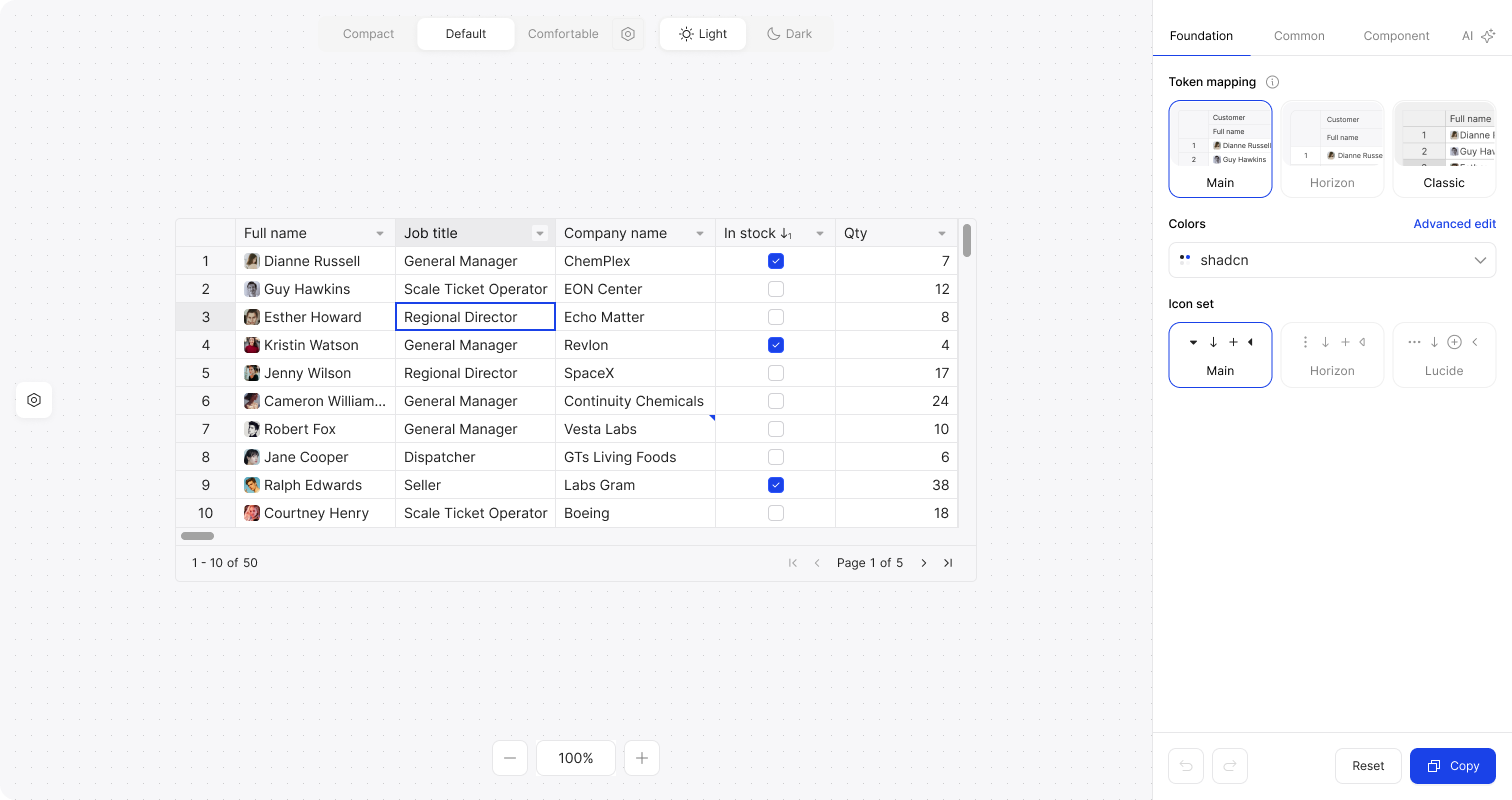
Alongside the Themes API improvements, our Theme Builder has been updated to align with the new token structure. It now features a redesigned interface that is cleaner and more intuitive to navigate. With clear token descriptions, per-token reset options, and real-time previews, it’s easier to understand how each change impacts the table design and make full use of Theme Builder capabilities.
Dependency Reduction
In 17.0.0, we focused on reducing external dependencies to optimize bundle size, improve loading performance, and give you more control over the runtime environment.
Numeric formatting
Numeric cells now use the native Intl.NumberFormat API. The previous pattern and culture options based on numbro.js are deprecated in 17.0.0 and will be removed in the next major release. The result is the same formatting flexibility, but with better performance and no reliance on large third-party libraries.
Date and time formatting
Date and time cells now use intl-date and intl-time, powered by Intl.DateTimeFormat. String-based Moment.js formats are deprecated and scheduled for removal in the next major version. This change improves performance and aligns formatting with modern, locale-aware APIs.
Built-in HyperFormula
The built-in HyperFormula engine used by the Formulas plugin is deprecated in 17.0.0 and will be removed from package.json in version 18.0. Handsontable will no longer bundle HyperFormula by default.
If you use the Formulas plugin, you should install HyperFormula directly in your project and pass it to the plugin configuration (with licenseKey: 'internal-use-in-handsontable'). This change reduces the default package size and gives you control over the formula engine version used in your application.
HTML sanitization
We introduced a new sanitizer option that lets you define your own HTML sanitization logic. DOMPurify is still used by default in 17.0.0 (with a deprecation warning), but it will be removed in the next major release.
Polyfills
In 17.0, Handsontable no longer includes core-js, which previously provided polyfills for older JavaScript features. Removing it reduces the bundle size and avoids adding polyfills that many modern projects don’t need.
Handsontable now targets modern JavaScript environments. If you need to support older browsers, you can add the required polyfills in your own application setup, based on your specific compatibility requirements.
Together, these changes make Handsontable lighter, faster, and more flexible. For detailed upgrade instructions, please see our migration guide.
Release Notes
Added
- Breaking change: Added the Theme API. #11950
- Introduced a simple way to define custom editors using the new
BaseEditor.factorymethod. #11899 - Implemented a new
MultiSelectcell type with a dedicated editor, renderer, and validator. #11981 - Added support for
Intl.NumberFormatoptions. #11997 - Added support for
Intl.DateTimeFormatoptions. #11999 - Added a copy-as-Markdown button to the documentation pages. #12009
- Added a new
sanitizertable option. #12016 - React: Introduced a simple way to define custom editors using the new
ComponentEditor. #11978
Changed
- Improved differentiation between Handsontable errors and other errors. #11780
- Reverted the editors’
updateChoicesListmethod type change. #11943 - Added a hit area to the fill handle. #11952
- Added a new
parsePastedValueoption to fix issues with pasting object-based values. #12020 - Introduced a new publishing flow for versions 17.0.0 and above. #12028
Removed
- Breaking change: Removed deprecated wrapper packages for Angular, React, and Vue, the
PersistentStateplugin, and the legacy undo/redo methods. #12015 - Breaking change: Removed
core-jsfrom dependencies. #12017 - Breaking change: Removed the legacy CSS stylesheets (e.g.
handsontable.full.min.css), which were the default styling prior to version 16. #11950 - Removed the
languagesfolder from git + updated the17.0+release workflow. #12049
Fixed
- Fixed errors triggered by certain keyboard shortcuts. #11951
- Fixed unwanted layout shifts caused by the editor. #11955
- Fixed an issue with scrolling in Firefox. #11962
- Fixed an issue with viewport scroll after calling
loadData()/updateData(). #11985 - Fixed a bug where the pasted value could not be changed. #11989
- Fixed misalignment issues when using
CSS transform: scale(). #11990 - Fixed a bug that made it impossible to delete values from key/value-based autocomplete and dropdown cells. #12010
- Fixed a Data Factory issue in filters that could return zero results even when matches exist. #12031
- Changed the element type for focus catchers. #12032
- Fixed incorrect scrollbar width calculation for scaled environments. #12035
- Fixed an issue with column headers styles #12058
- Angular: Fixed a problem with the Angular wrapper that broke builds done with a disabled
skipLibCheck. #12091
Deprecated
- Deprecated numbro.js for numeric formatting. Copy it to your project or replace it with the
Intl.NumberFormatAPI. Migration guide - Deprecated Pikaday for date picking. Switch to native date input. Migration guide
- Deprecated moment.js for date parsing and display. Replace it with the
Intl.DateTimeFormatAPI. Migration guide - Deprecated DOMPurify as a built-in XSS sanitizer. Use the new
sanitizeroption or convert content to plain text. Migration guide - Deprecated core-js polyfills for ECMAScript features. Migration guide
- Deprecated bundling HyperFormula as a Handsontable dependency. Starting from version 18.0, install and import it separately, then pass it to the Formulas plugin with
licenseKey: '. Formula calculationinternal-use-in-handsontable'
Figma
- Released version 2.0 of Handsontable Design System.
Beata Mówka
Senior Marketing Manager at Handsontable